TUI vs CLI: Is There Any Difference?
by Abdulganiy Adeleke, published on Oct 13, 2026
On this page
A basic mental model for differentiating between a GUI and a CLI is that one uses graphical elements, while the other runs in a terminal. That was my mental model too, until I encountered the term TUI, which also runs in the terminal and I thought: aren't they the same thing?
That's the exact question this post aims to answer.
How they use the terminal
CLIs and TUIs are both presented in the terminal environment, but they differ in how they use it to express intent and interact with a program.
With the Git CLI, you express your intent by passing fixed commands, flags, and text through keyboard input. Think about when you run git status in your local repository.
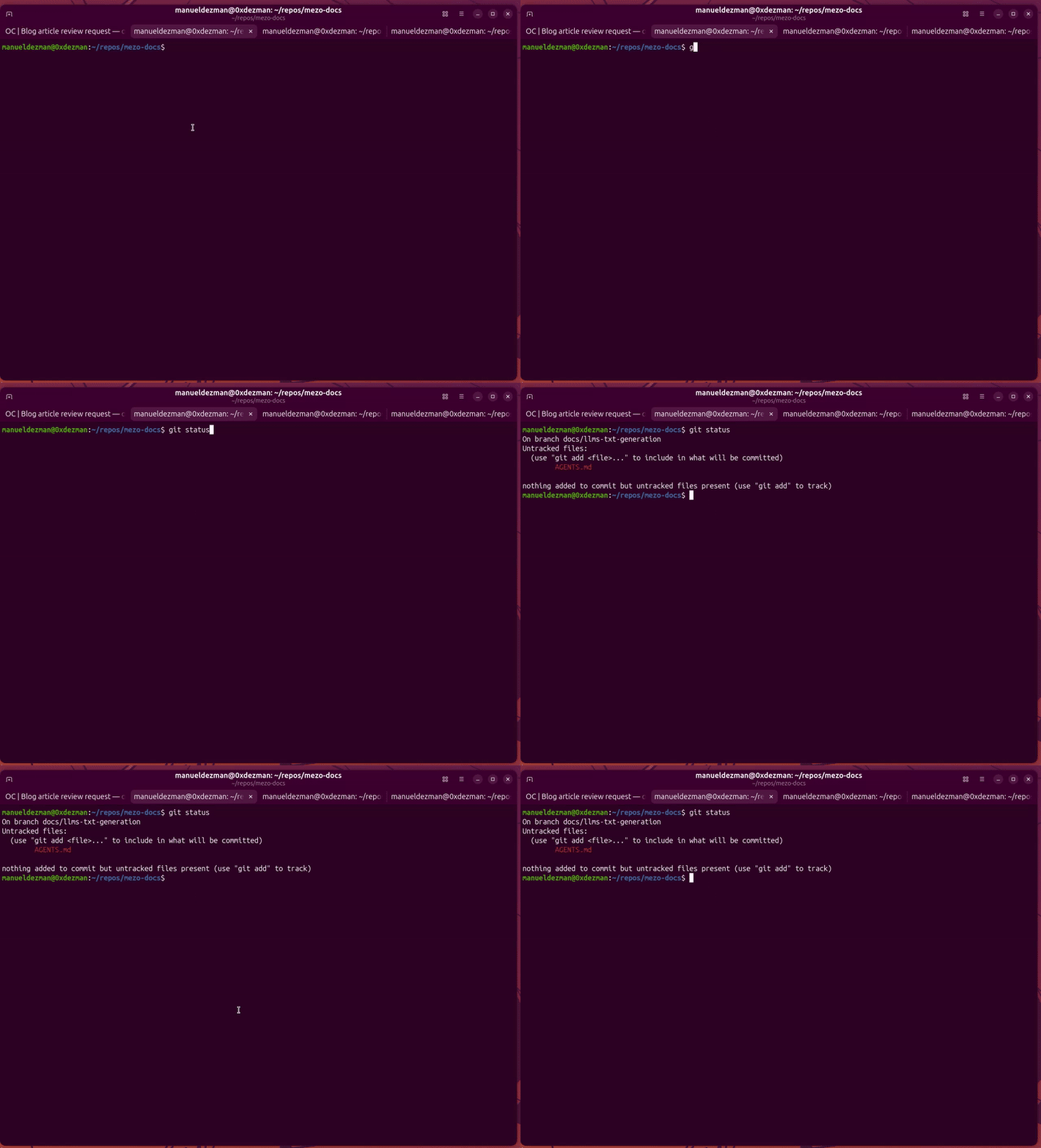
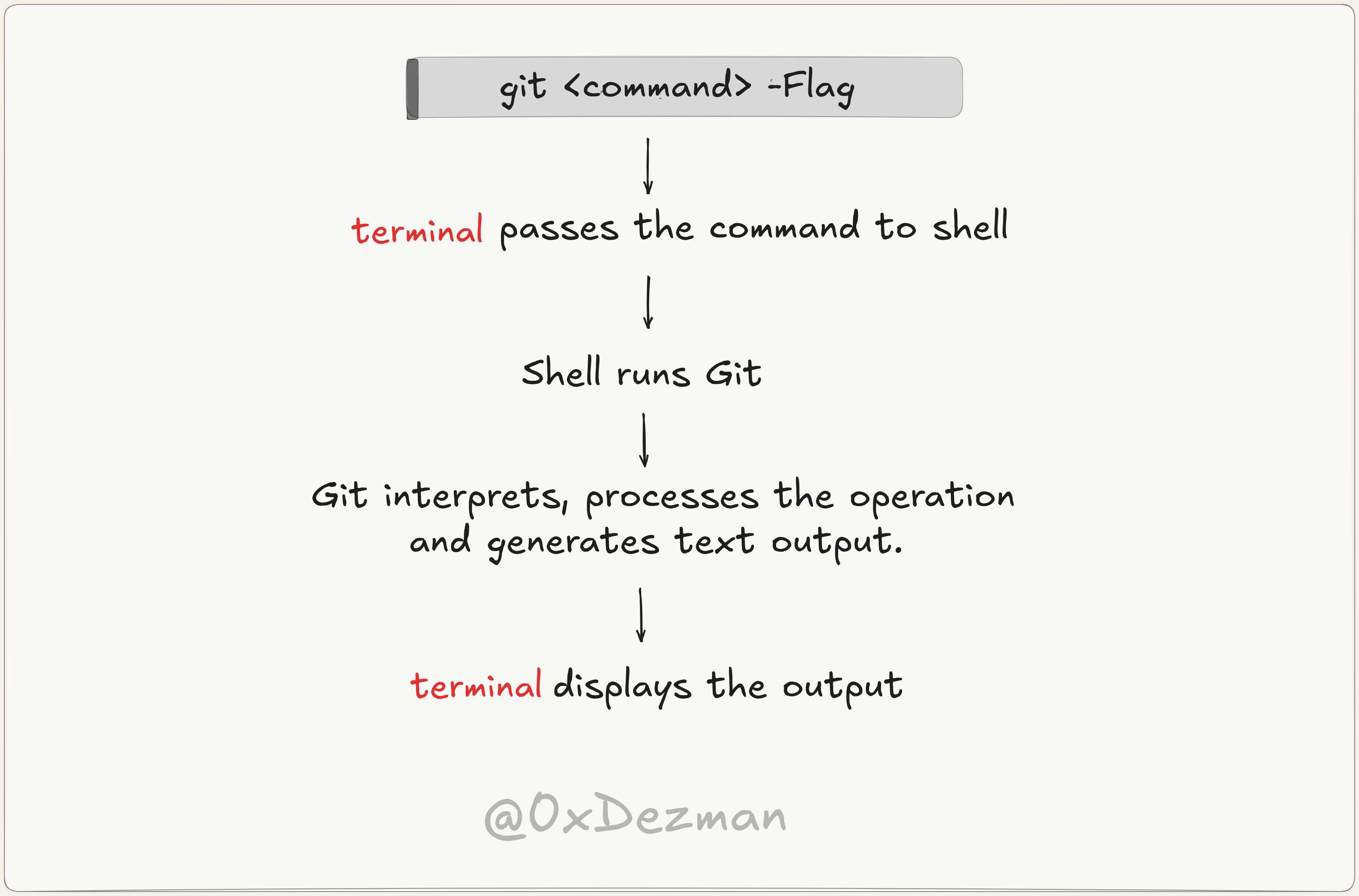
Git interprets the command, processes the request, and writes the resulting output to your terminal as a stream of text, progressing line by line. The sequence below shows the operations involved and terminal involvement.
To perform the same operation in a TUI like lazygit, you express your intent in a different way. Once you launch it, it takes over the full terminal screen. In Lazygit's case, that's six panels: status, files, branches, commits, stash, and the main preview panel.
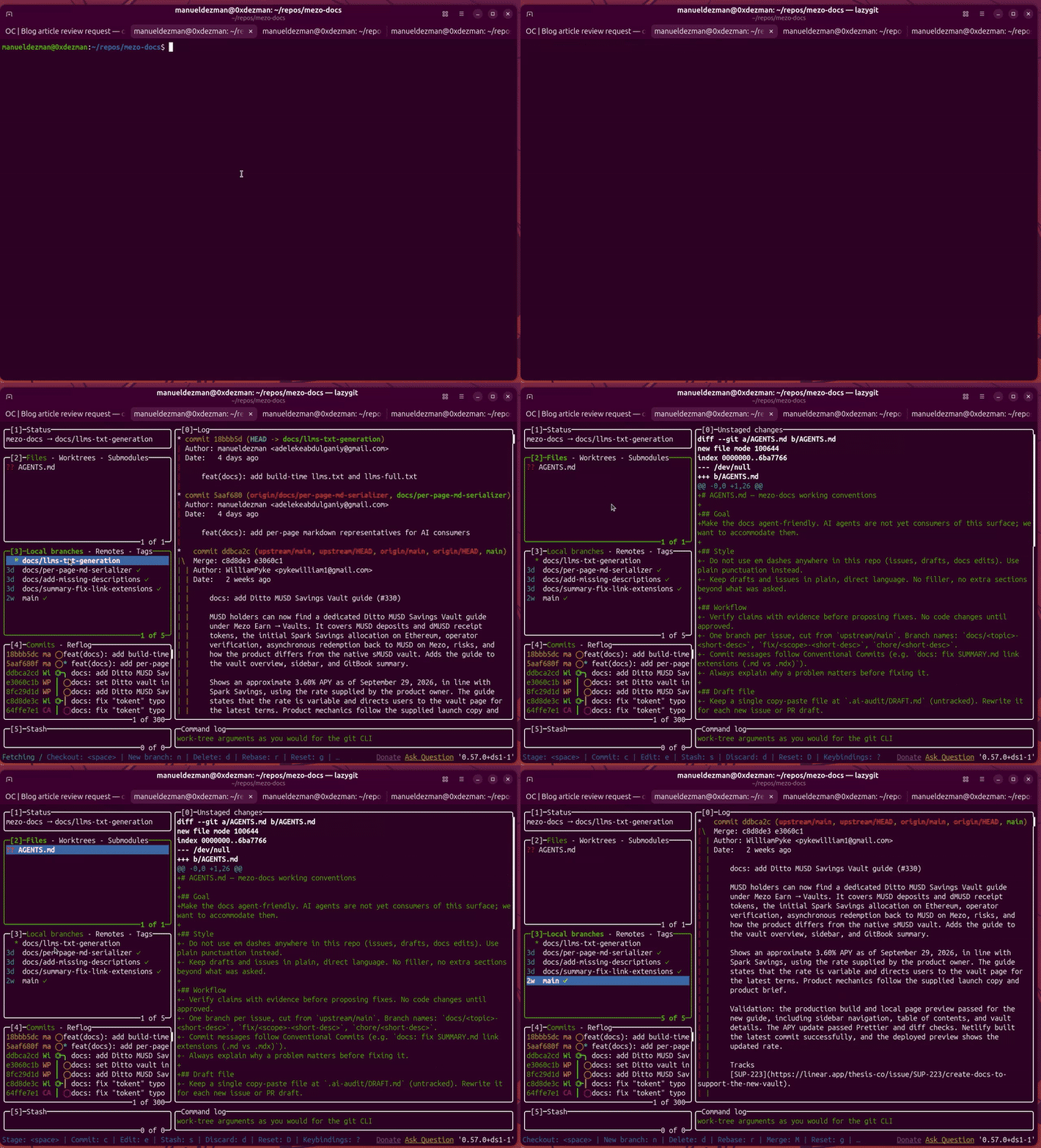
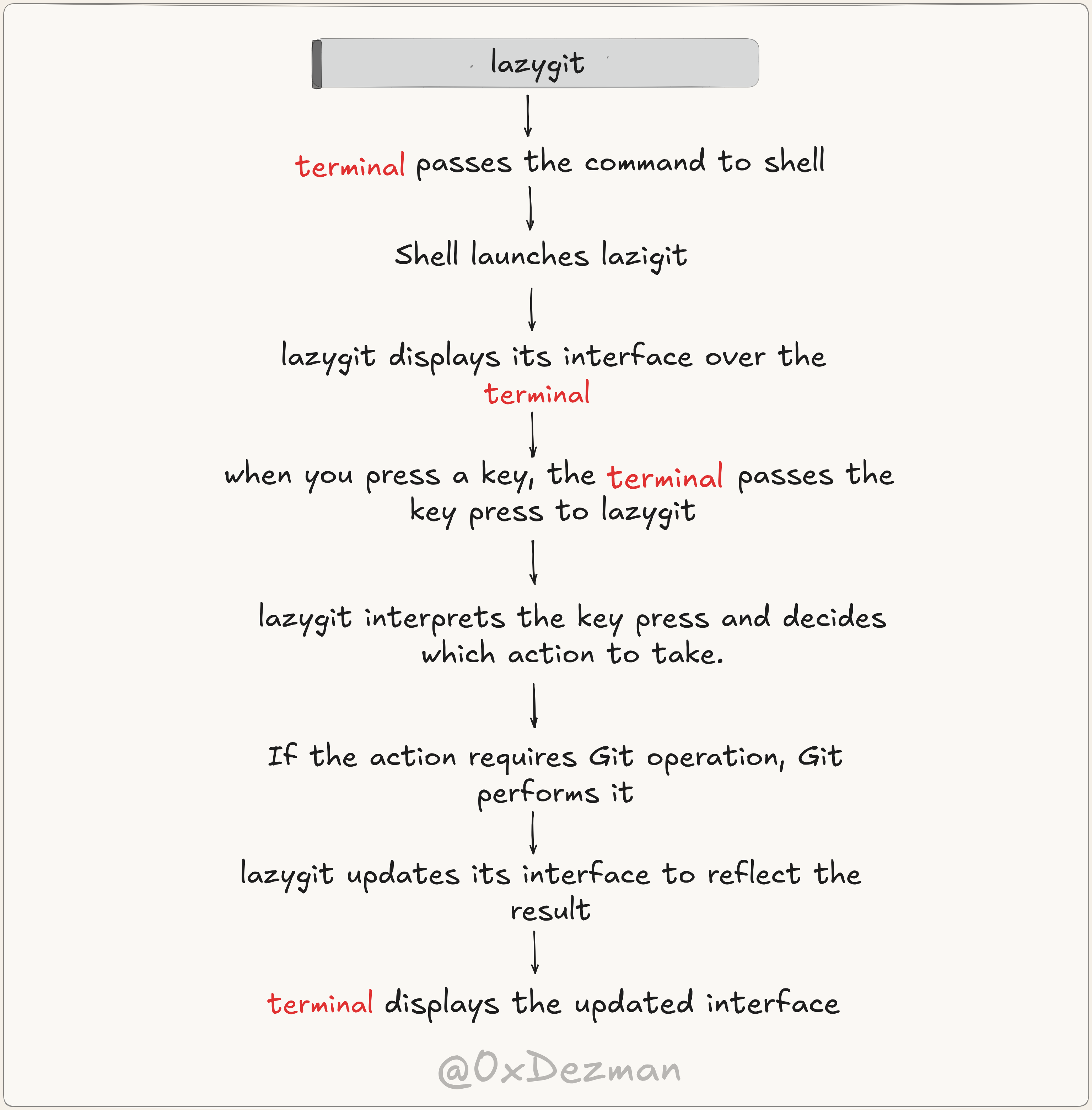
You can interact with it by pressing keyboard shortcuts, typing, and even mouse clicks, and the interface updates in real time as you interact with it. Below is the flow of operations involved and the terminal's role in it.
User experience and automation
The CLI is well suited to automation, but it can be difficult for beginners to learn. To use Git through the CLI, you need to learn commands, options, and their syntax, which requires a great deal of mental effort. Although some CLI tools suggest the correct command when you make a mistake, you still have to correct and enter it again. When this happens a lot, it can lead to frustration.
A TUI, such as Lazygit, can reduce this effort by displaying available actions in a visual menu. Instead of remembering every command, you can navigate the interface using keyboard shortcuts or, where supported, a mouse. This can make interactive tasks easier.
However, a TUI is not always faster. For example, an experienced user can delete many files with a single command instead of selecting them one by one in an interface. CLI commands are also useful in scripts, where you can automate repetitive tasks.
User preference also matters. You may prefer the CLI because you already know the commands and flags, and entering them has become second nature. Beginners, however, may find it easier to navigate a TUI, where they can see available options instead of having to remember commands.
This difference in preference is one reason some applications, such as Claude Code and OpenCode, offer both CLI and TUI options.
For example, running claude launches Claude Code's TUI, where you can enter prompts and navigate available options. Alternatively, you can use the -p flag to run a prompt directly from the CLI:
claude -p "Explain this code"Both approaches let you work with Claude Code, but they differ in how you experience it.
Wrapping up
Thank you for reading to the end. I hope you can now boldly state the difference between TUI and CLI, but if there is a part that still feels confusing, do let me know in the comments.