2026
Self-Updating Docs-as-Code Pipeline
How I connected product code changes to automated AI drafting, quality checks, and Docusaurus deployments.
This is a working demonstration of an end-to-end documentation quality pipeline. It exists to show, with running code rather than claims, that I can design, implement, and maintain documentation systems that work for both human readers and AI agents.
How the system works
Every step of the pipeline runs on one of these tools.
GitHub Actions
Runs the workflow when a product change merges and on every docs pull request.
OpenCode
The agent that reads the product diff and drafts the documentation update.
Docusaurus
Builds the site and checks the links between pages.
Vale
Checks wording and product terms.
codespell
Checks spelling.
lychee
Checks external links after the site builds.
Netlify
Builds a preview for every pull request.
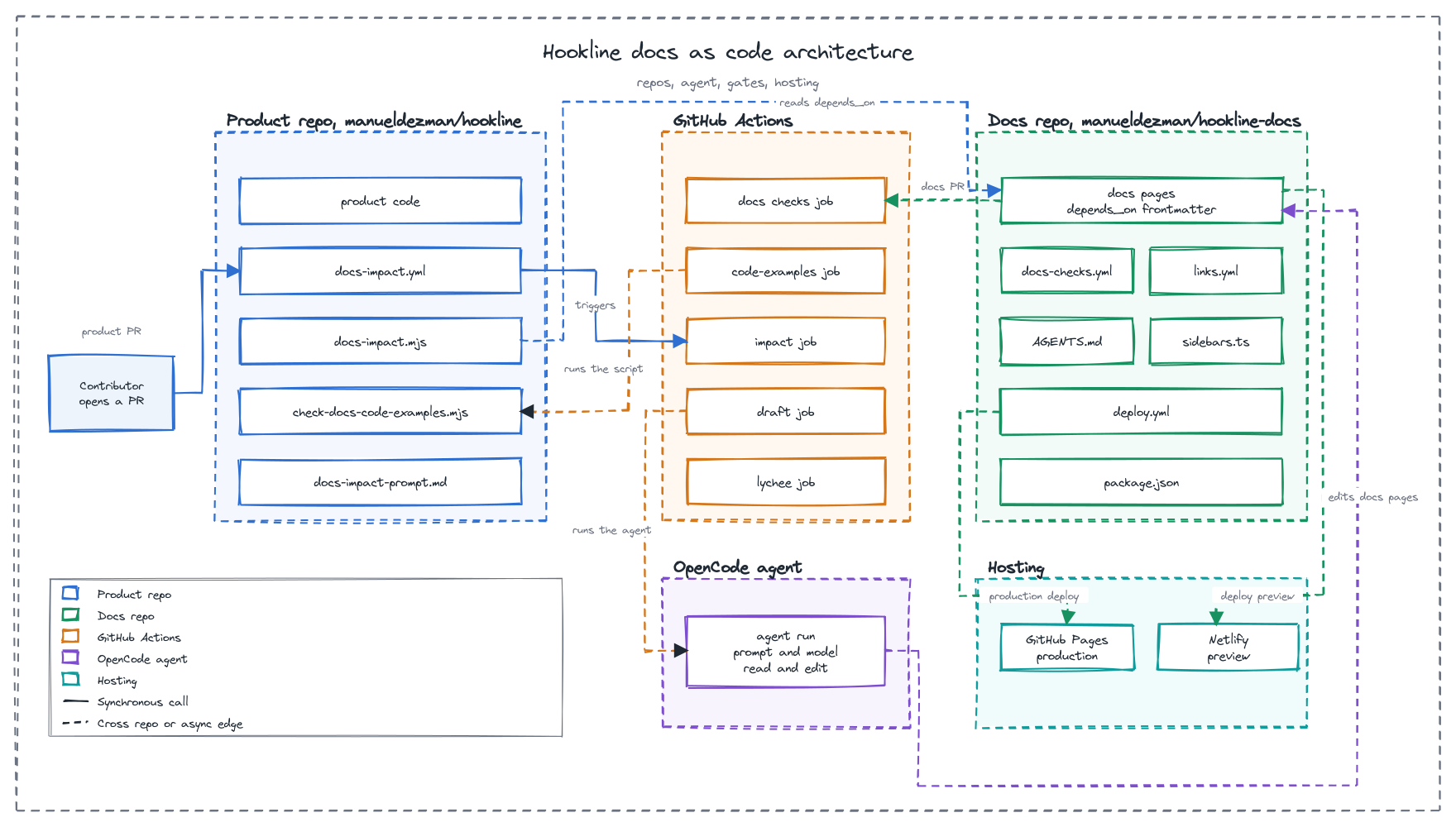
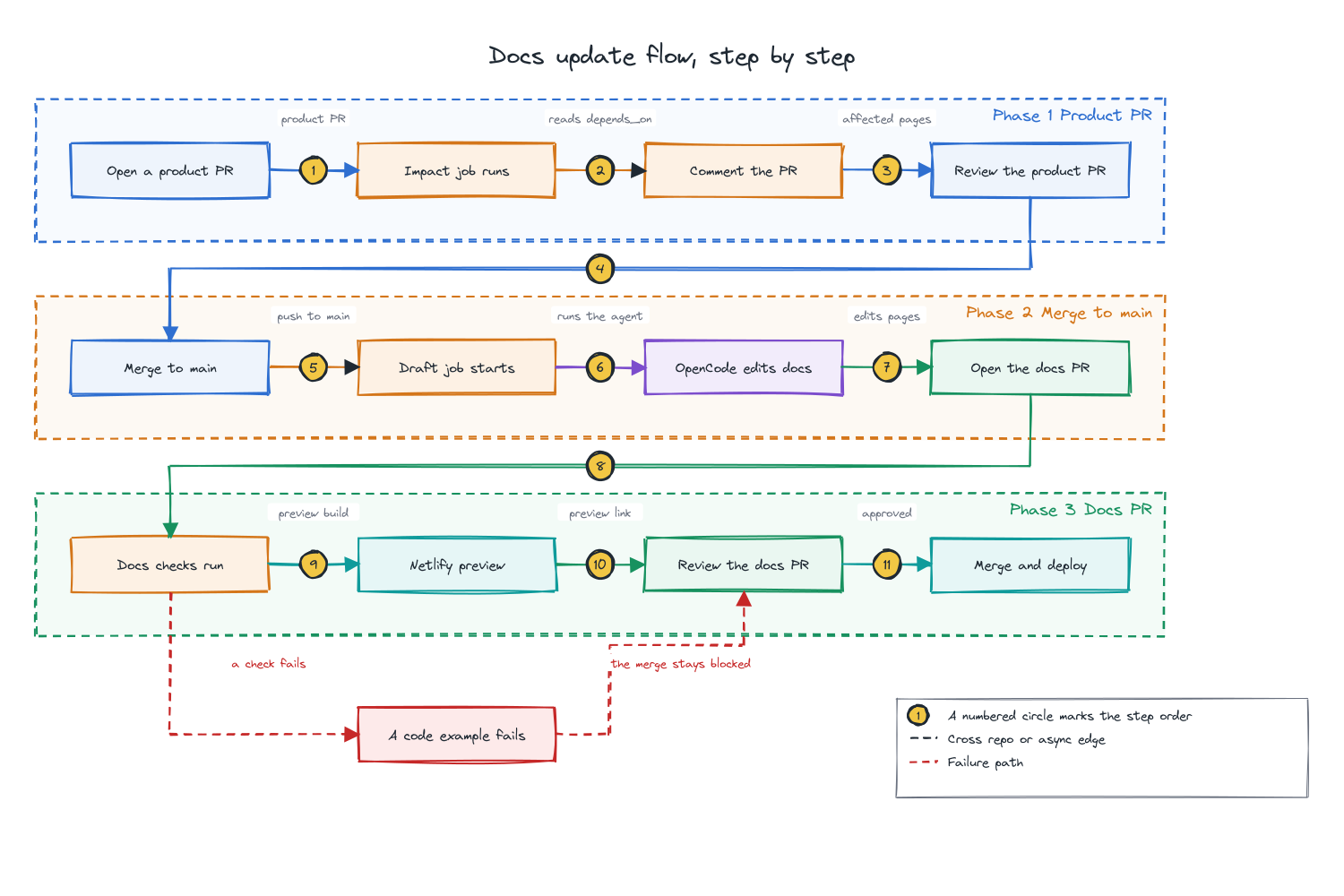
Automated Update Pipeline
When code merges to the product repo, a GitHub Actions job runs the OpenCode agent. The agent reads the git diff and edits only the pages the change makes wrong.
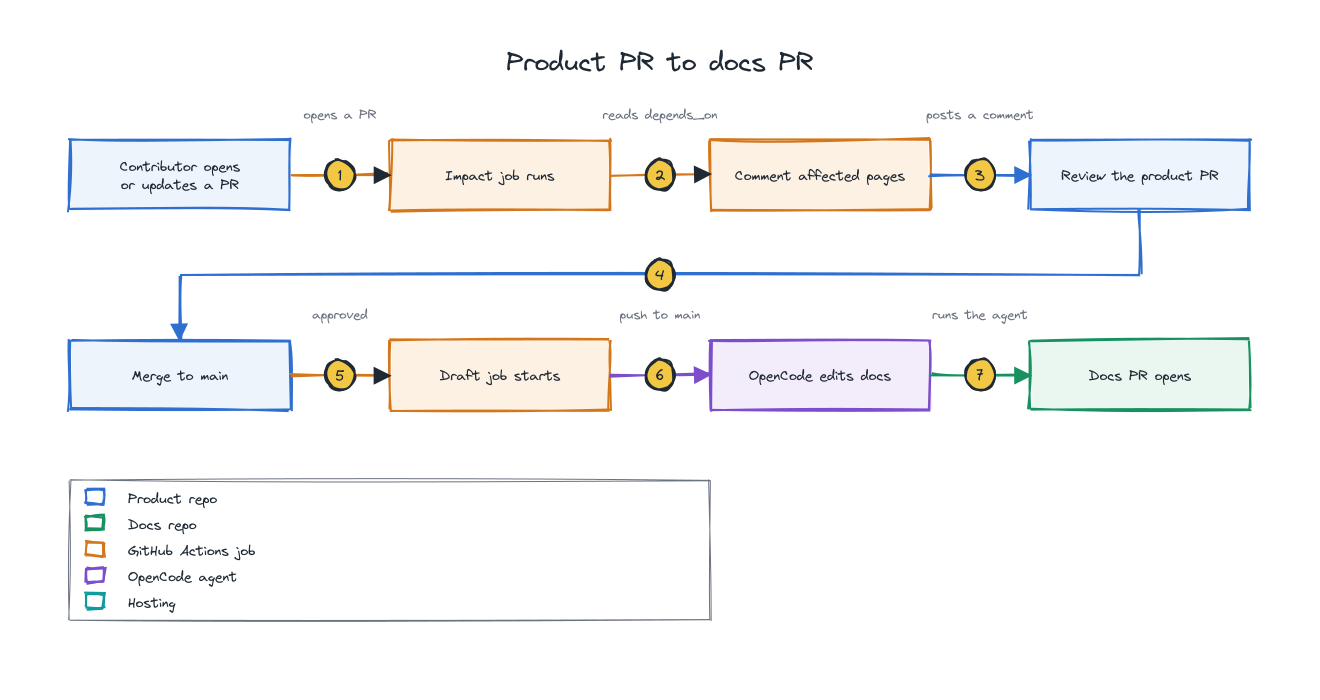
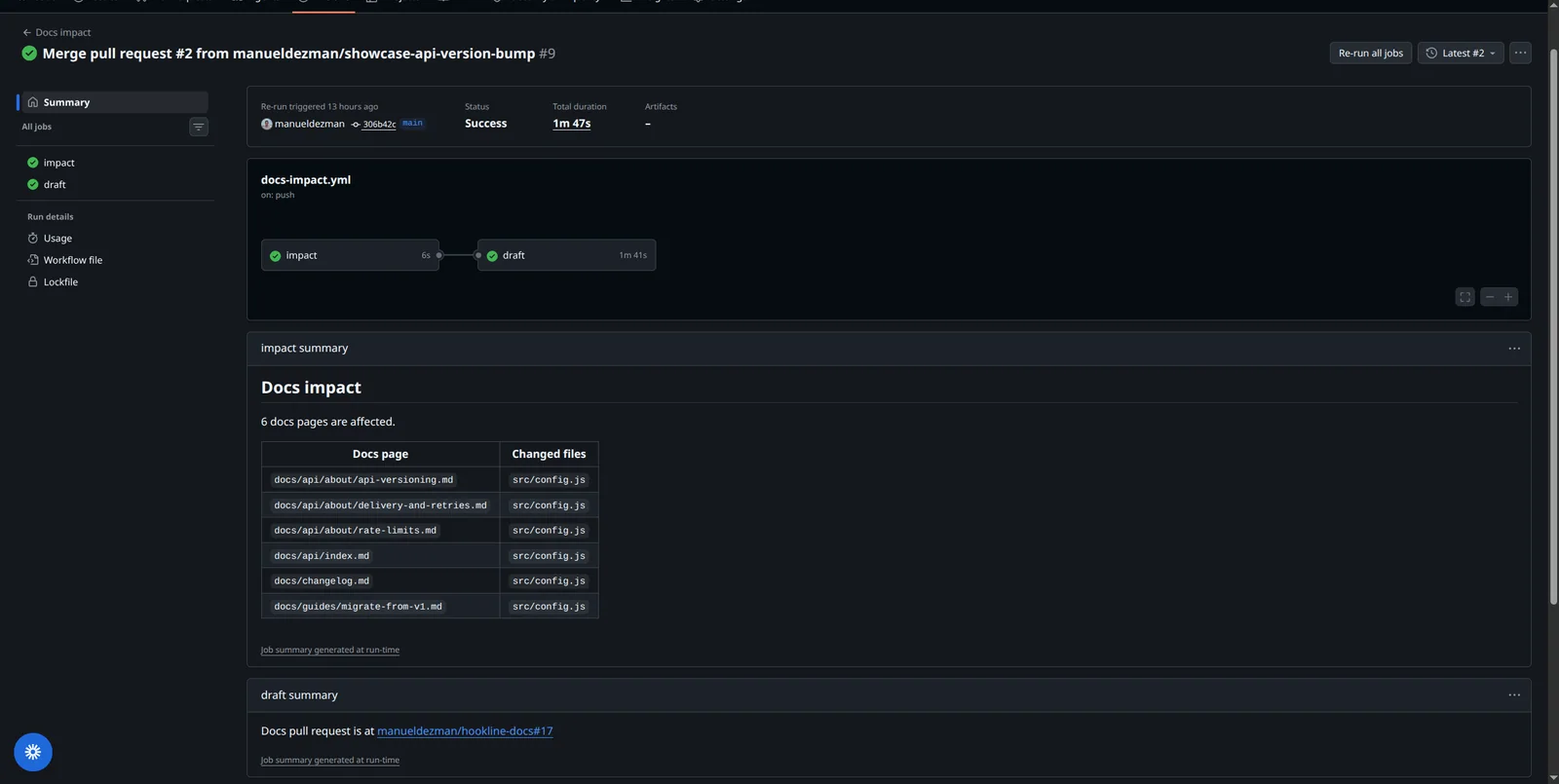
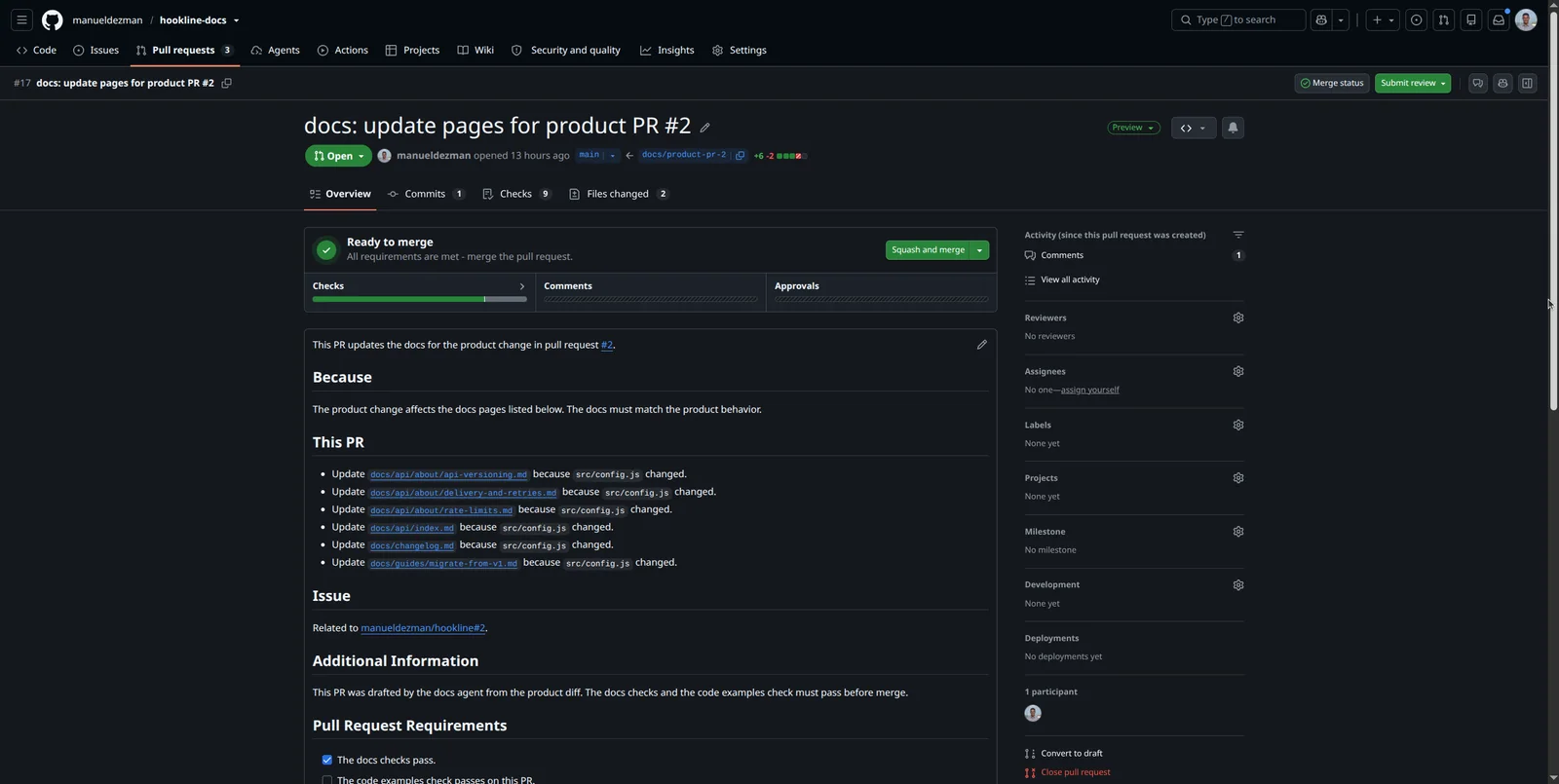
Figure 4: Screenshot showing the impact job flagging six pages that read src/config.js and the agent updating the two that the version change touches.
Before · Product repo
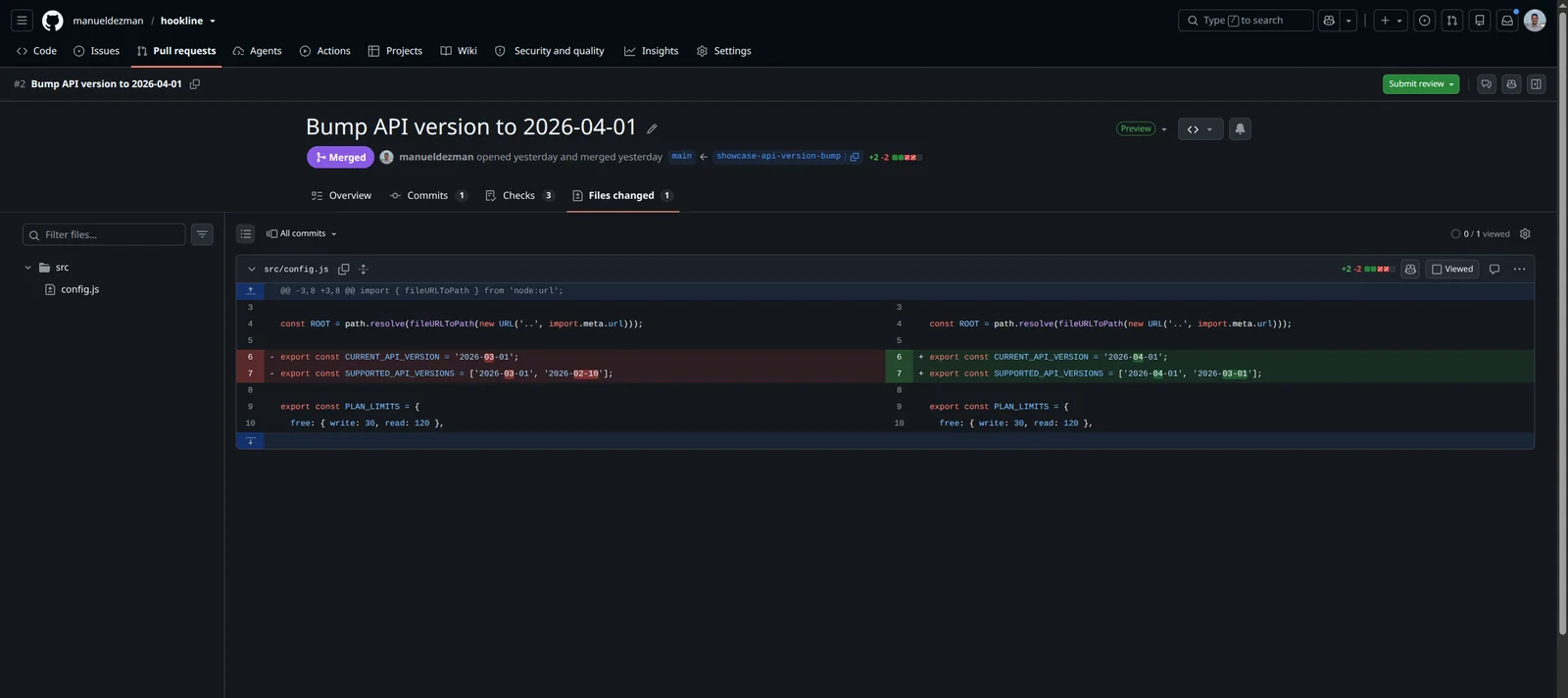
Figure 6: Developer merges a feature or API change in the product codebase.
After · Docs repo
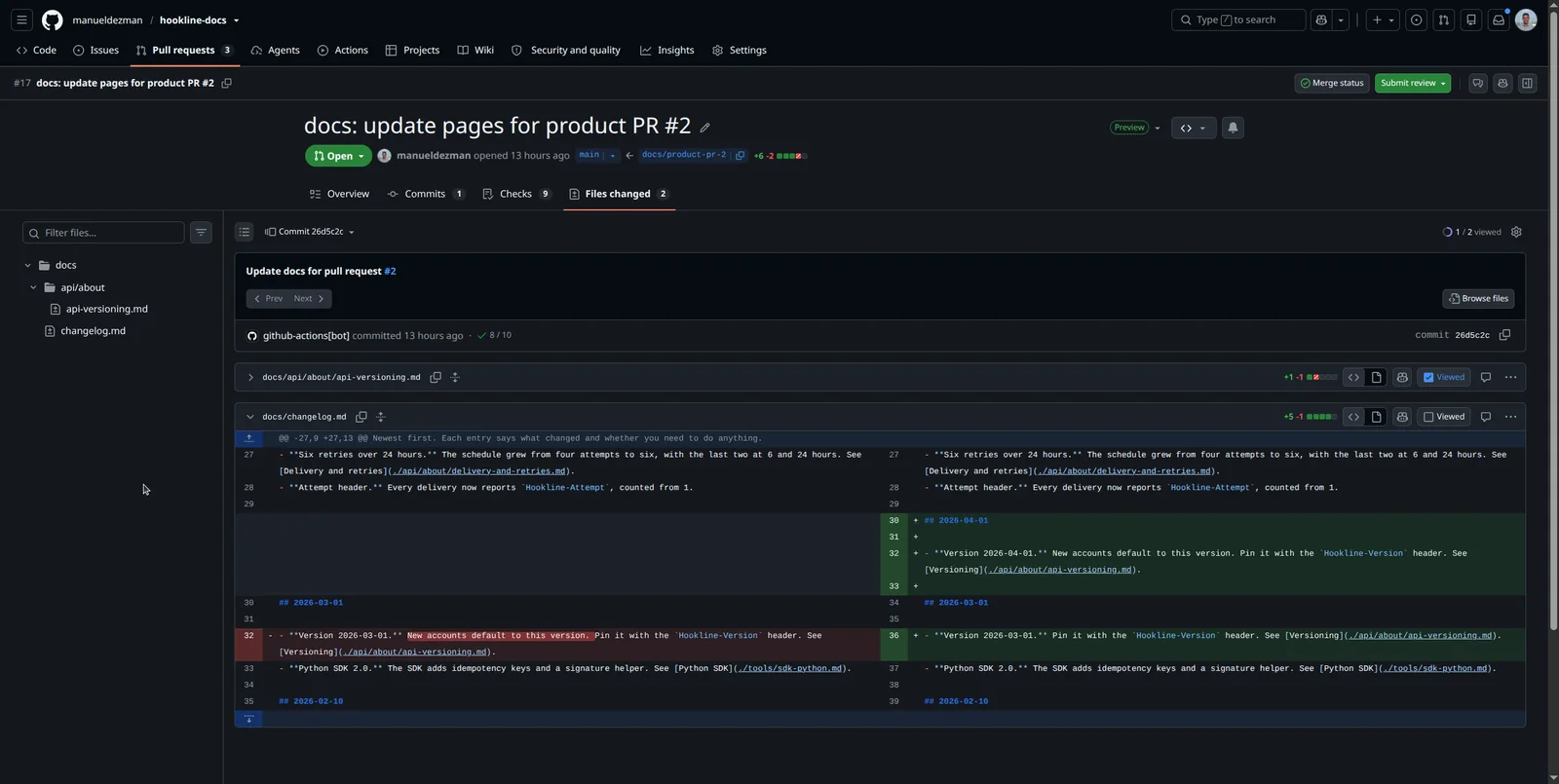
Figure 7: OpenCode maps the code change to the right Docusaurus file and drafts the documentation update.
Information Architecture
Here are the architectural decisions I made, I used:
Audience first framing: The overview names four readers, from backend developers to security teams. Anyone going through the docs knows if the tool is for them.
3 max levels of depth: Reference > Events > Create an event is the deepest path. Getting started and Guides stop at two. This follows the information architecture standards, which ensures information is easily reachable and easily retrieved.
Navigation organized by user's job: Sending an event sits in the Quickstart, signature checks sit in Guides, and the endpoint sits in Reference. A reader who wants to send an event finds it in the Quickstart, a reader who wants to verify a signature finds it in Guides, and a reader who wants the exact fields finds them in Reference, so nobody has to guess which section holds the page.
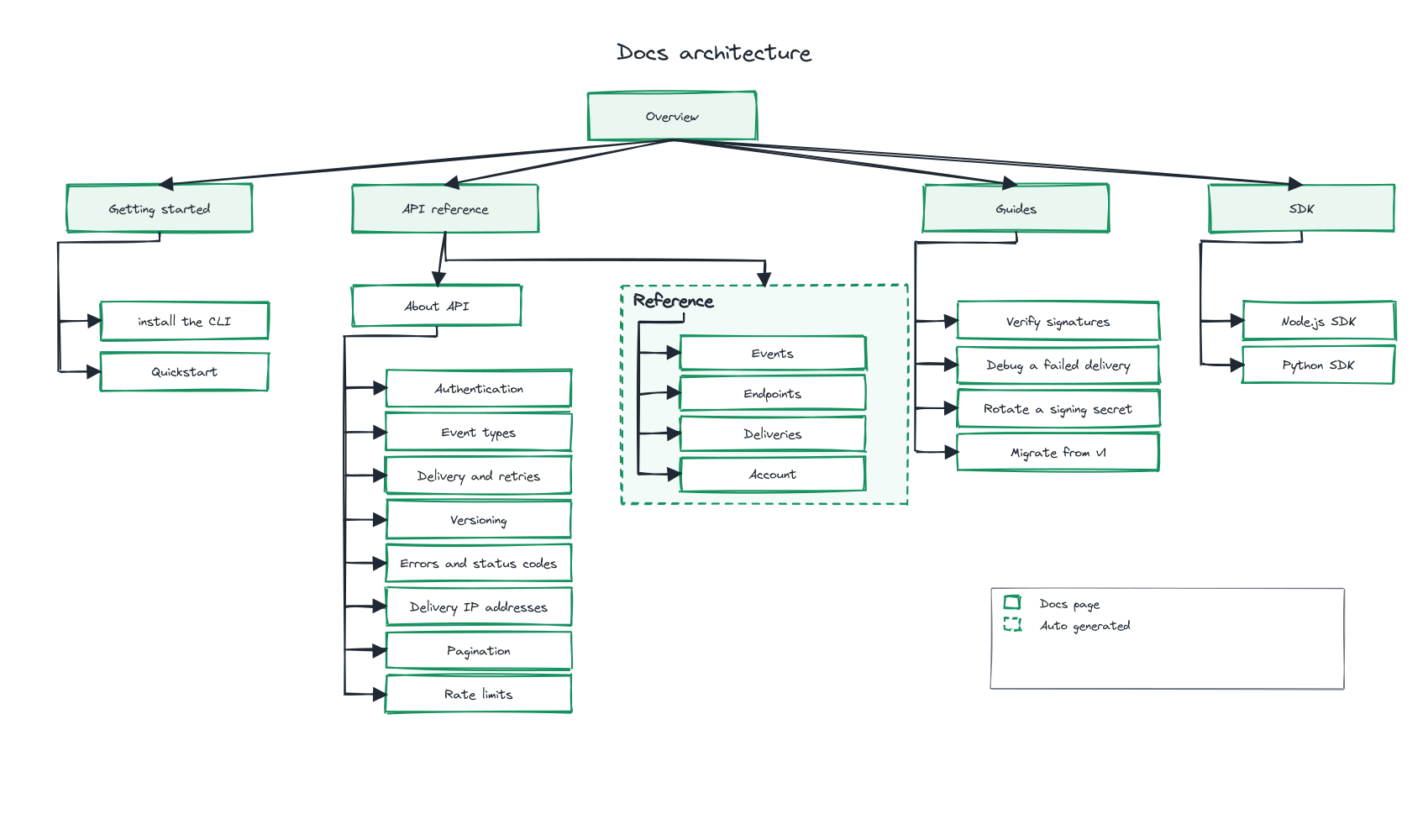
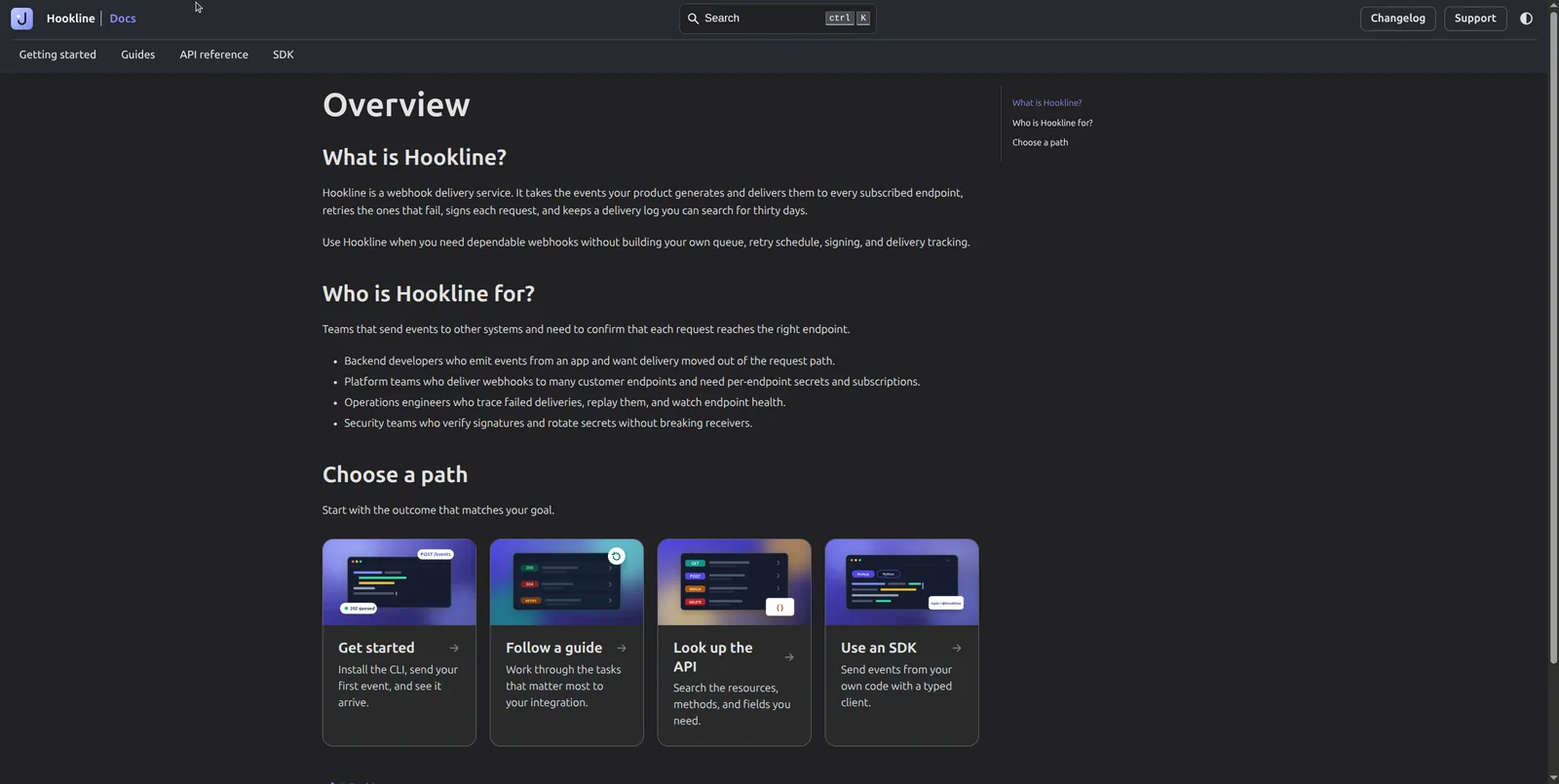
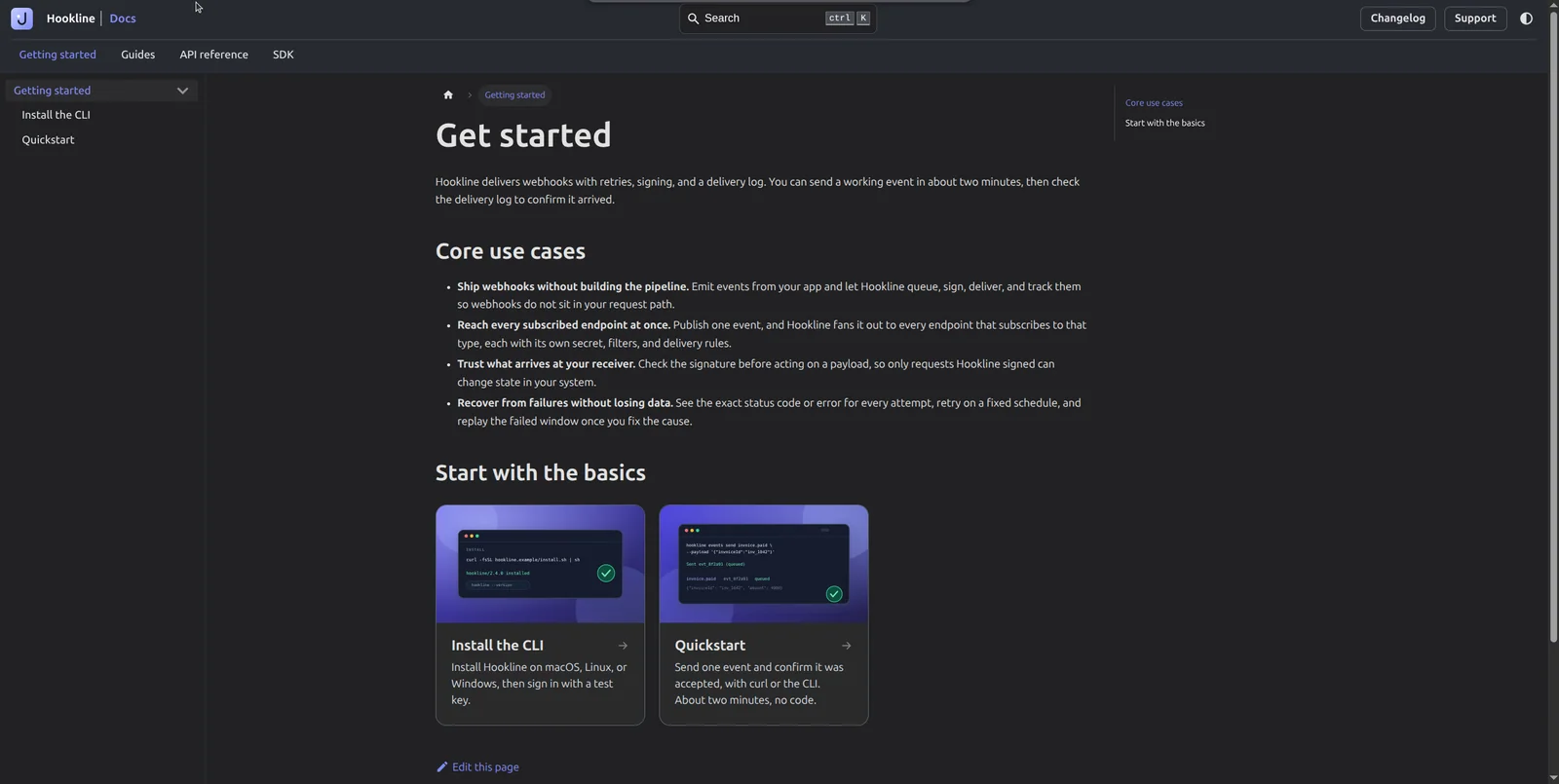
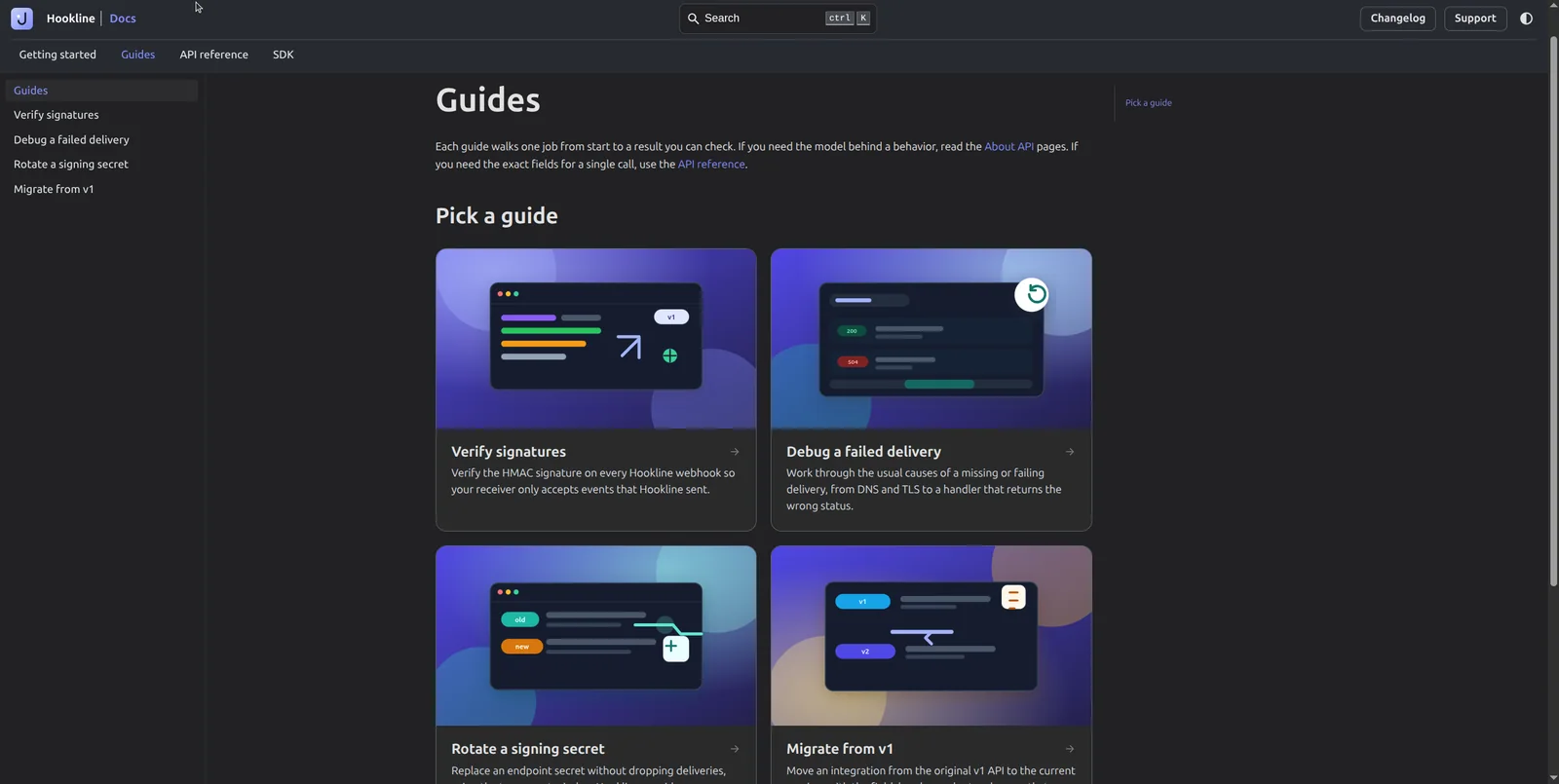
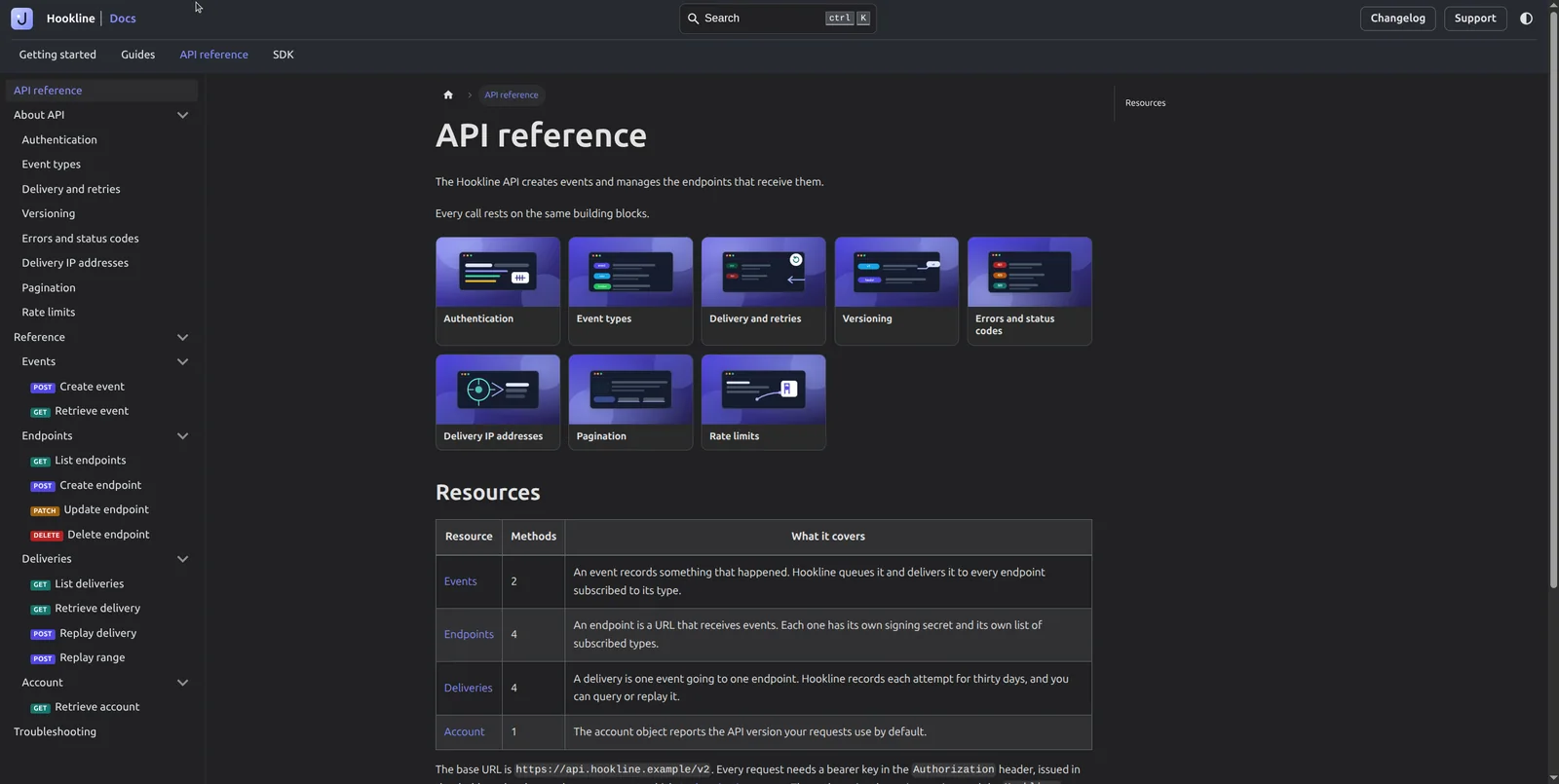
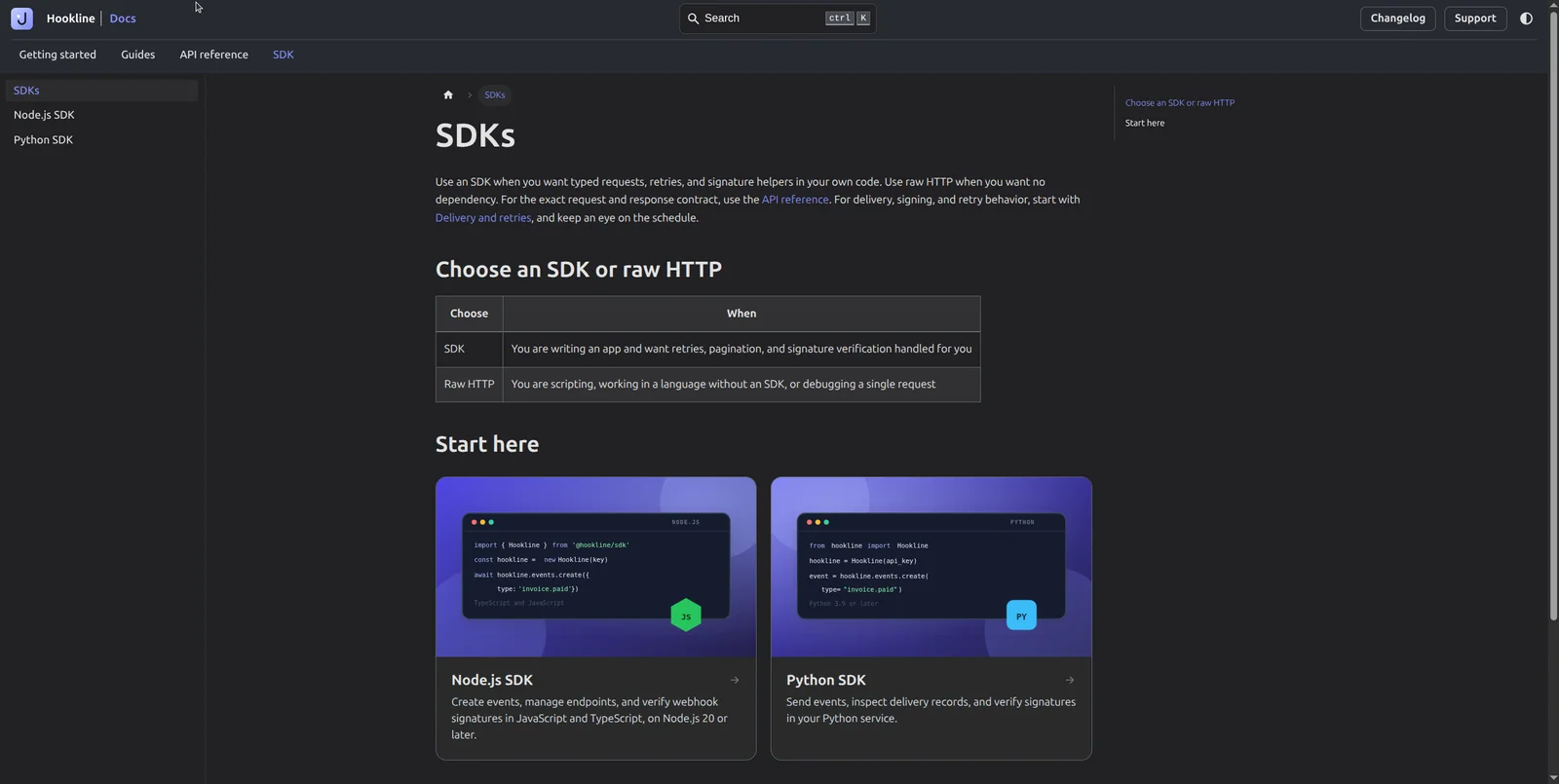
Figure 9: Screenshot showing the product overview page and who it is for.
Code Example Validation
Every curl and CLI example in the Markdown files runs against the product code. An example that returns 404 where the page promises 202 fails the pull request.
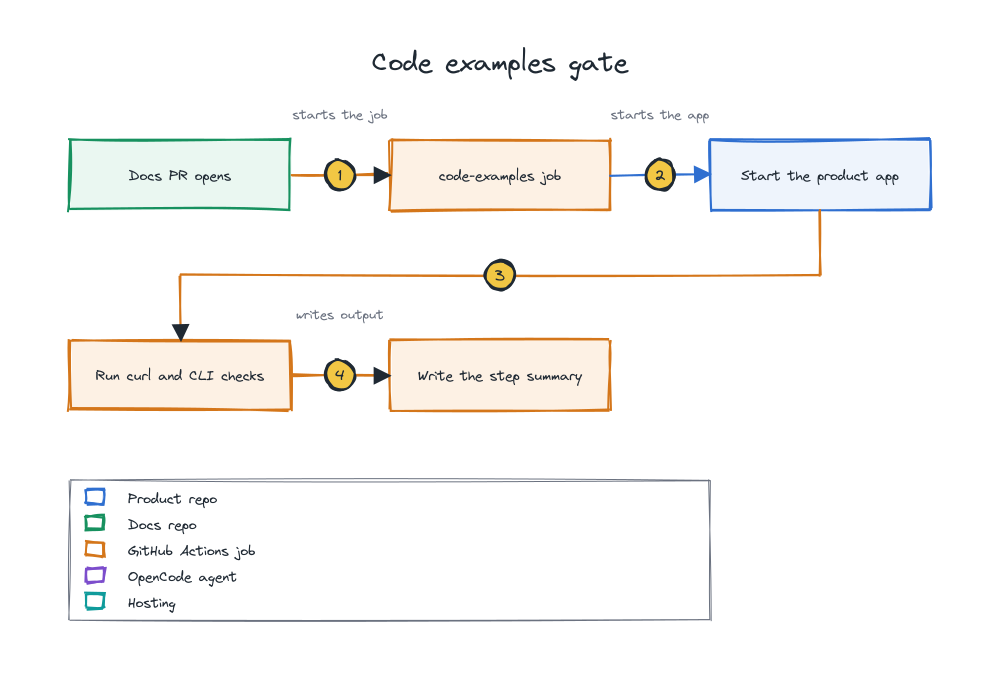
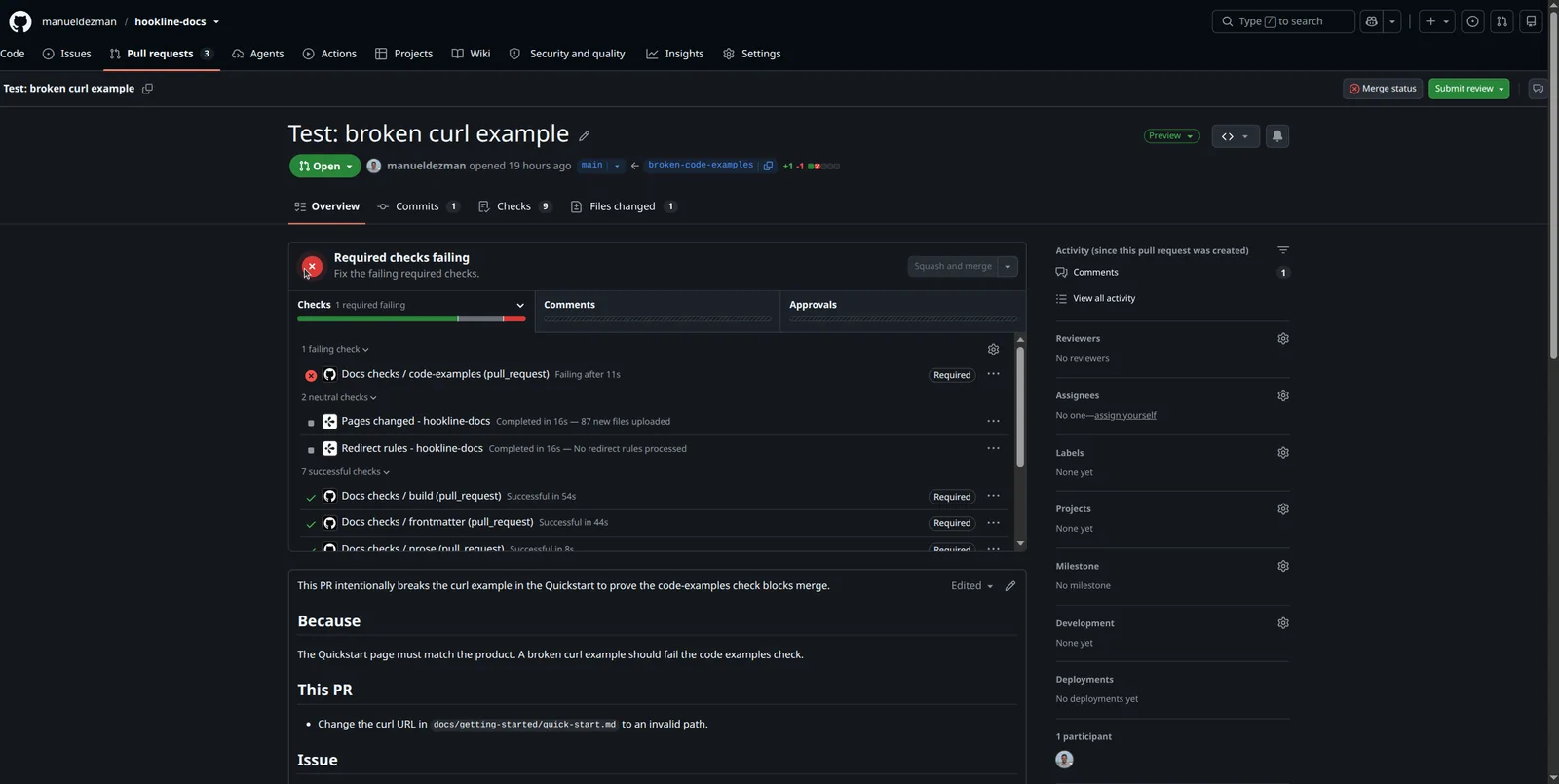
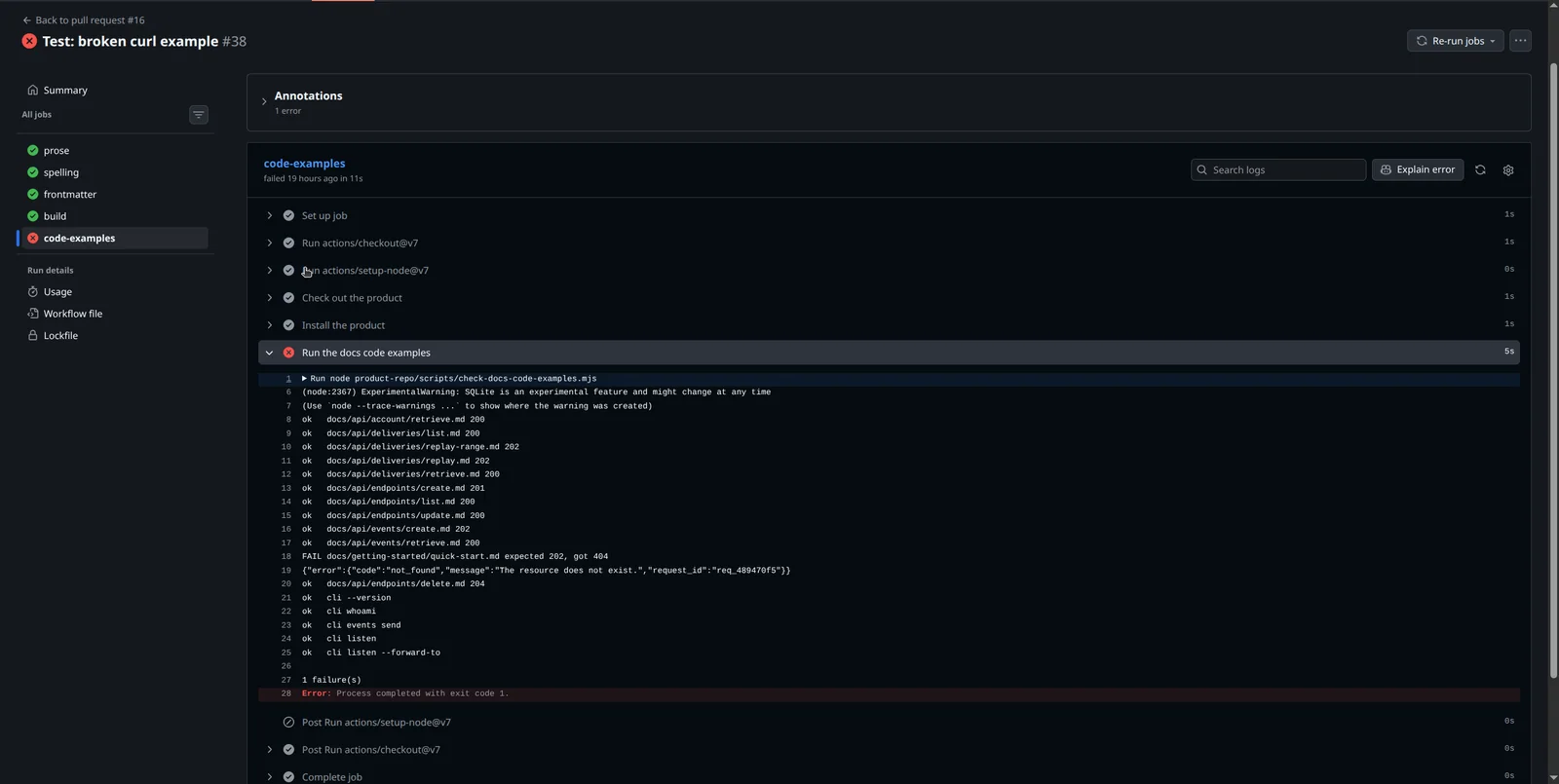
Figure 15: Screenshot showing the test pull request that changes one example on purpose.
Automated Quality Gates
Here are the quality gates:
| Check | Tool | When it runs | What it blocks |
|---|---|---|---|
| Style and terminology | Vale | Pull request | Errors block the merge |
| Spelling | codespell | Pull request | Any known misspelling blocks the merge |
| Front matter | check-frontmatter.js (Node) | Pull request | Missing or malformed metadata blocks the merge |
| Internal links and build | Docusaurus | Pull request | Any broken internal link blocks the merge |
| Code examples | check-docs-code-examples.mjs (Node) | Pull request | Any curl or CLI example that does not match the product blocks the merge |
| Agent-file parity | validate-agent-files.js and Node tests | Pull request | Any missing or broken agent file blocks the merge |
| External links | Lychee | Pull request | Any dead URL blocks the merge |
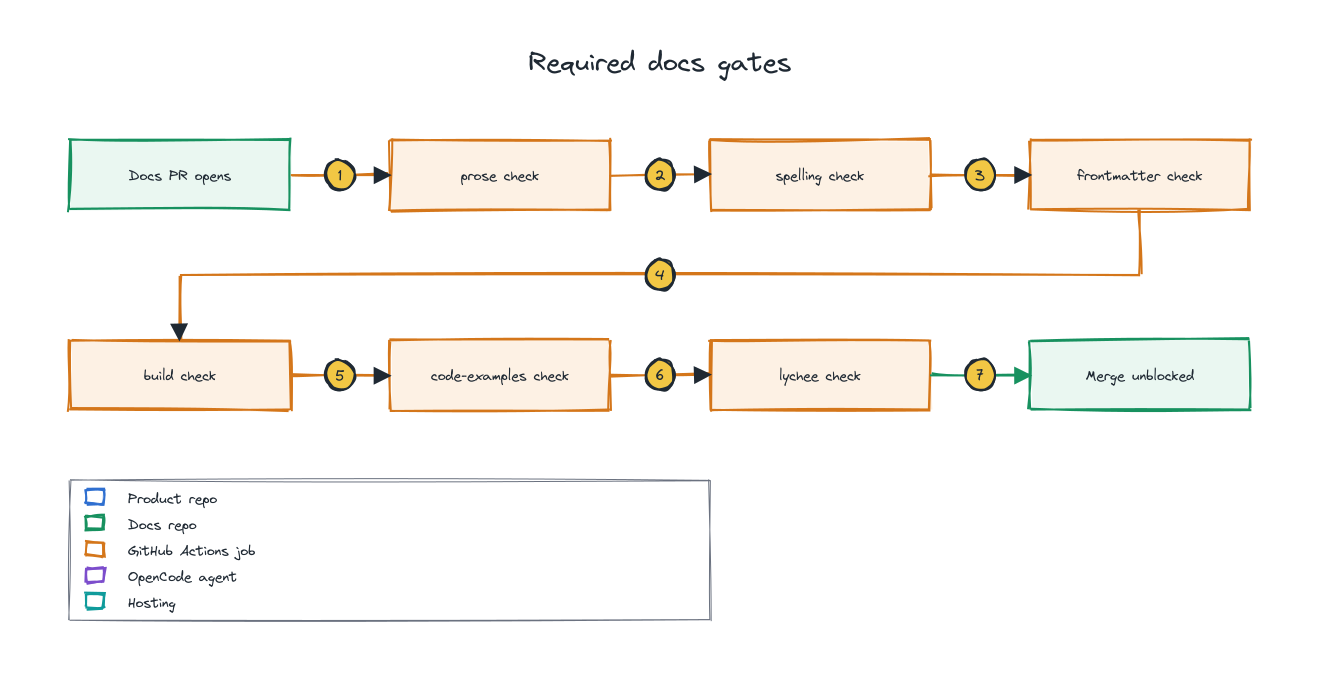
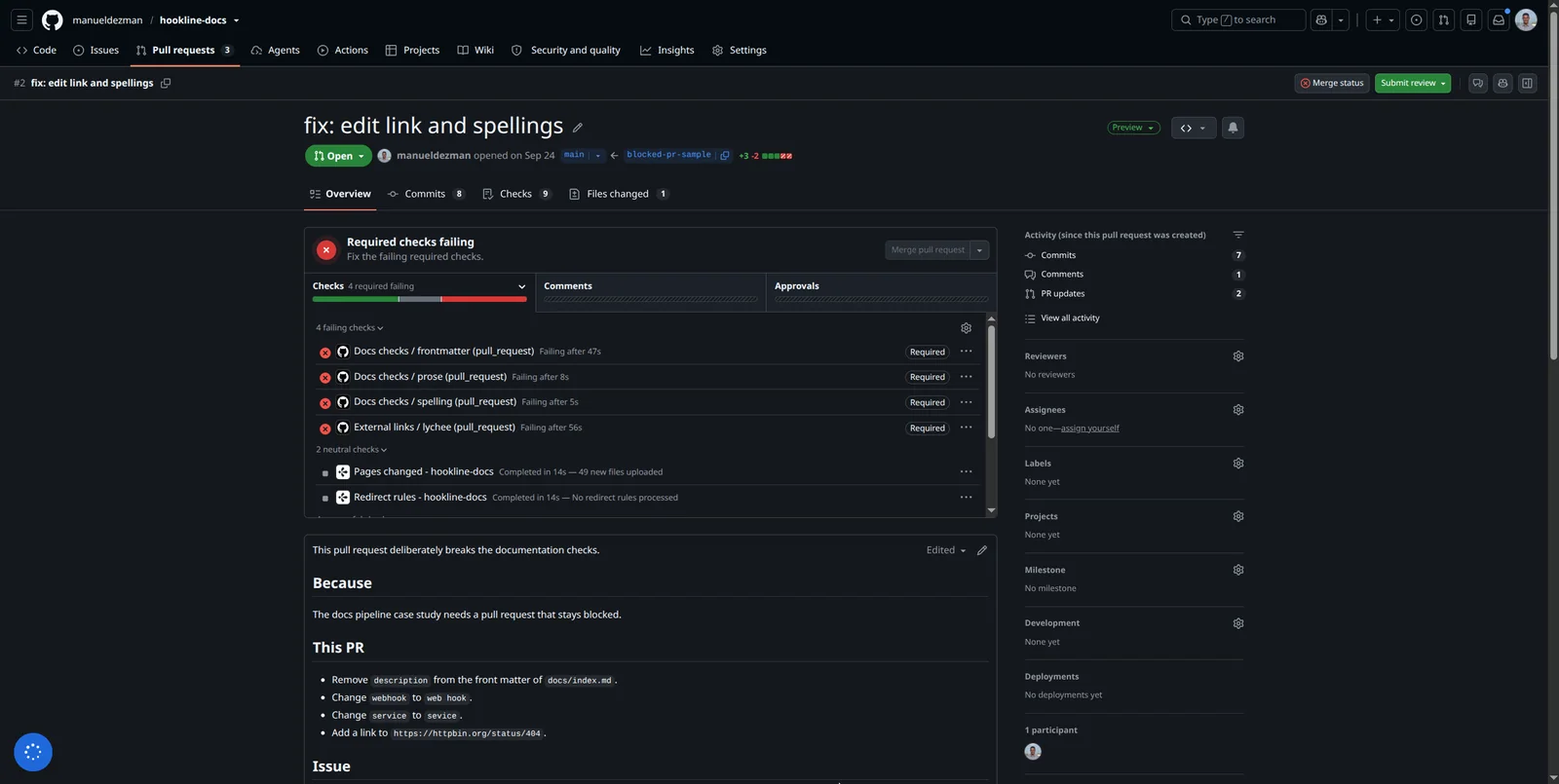
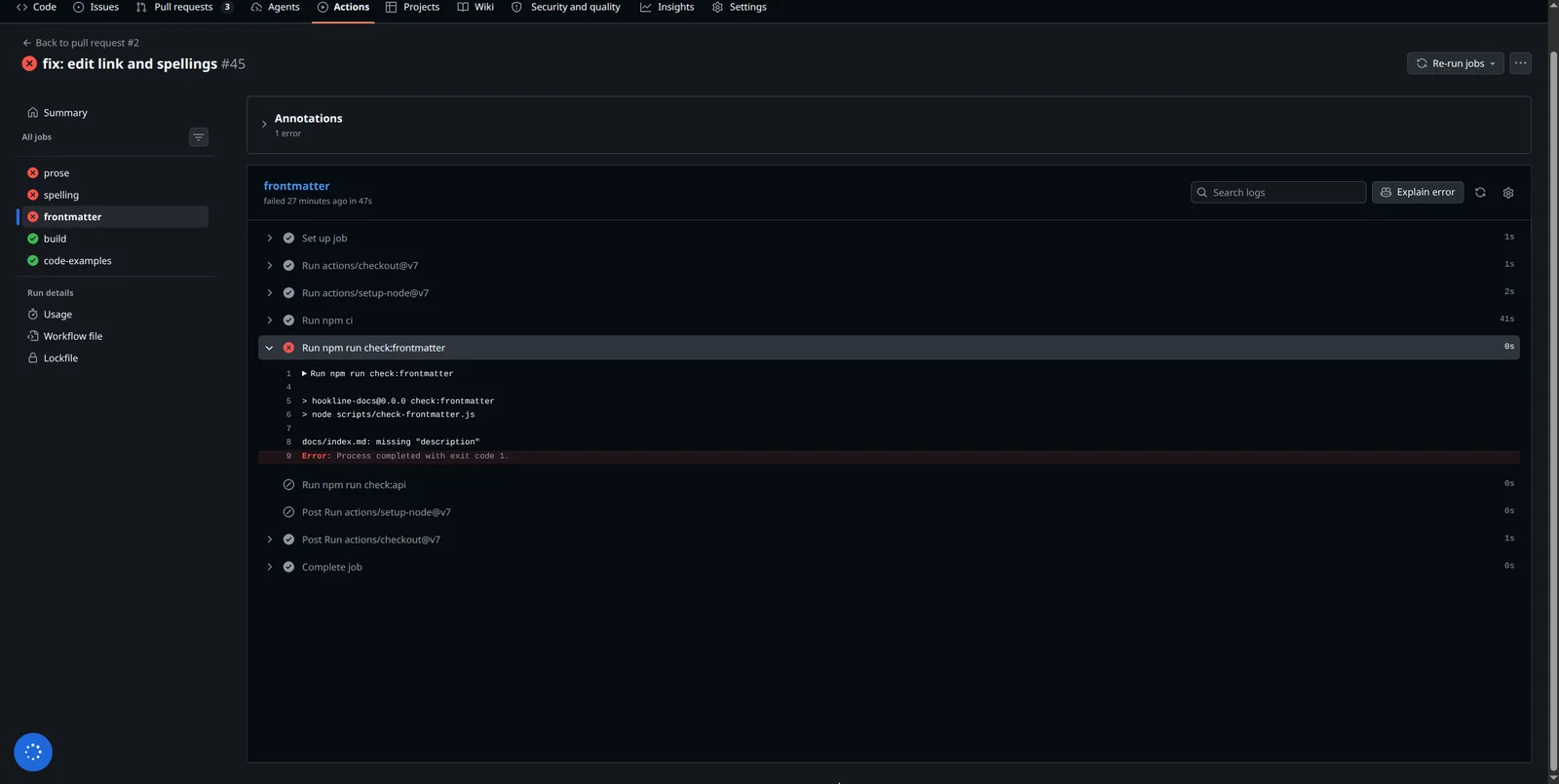
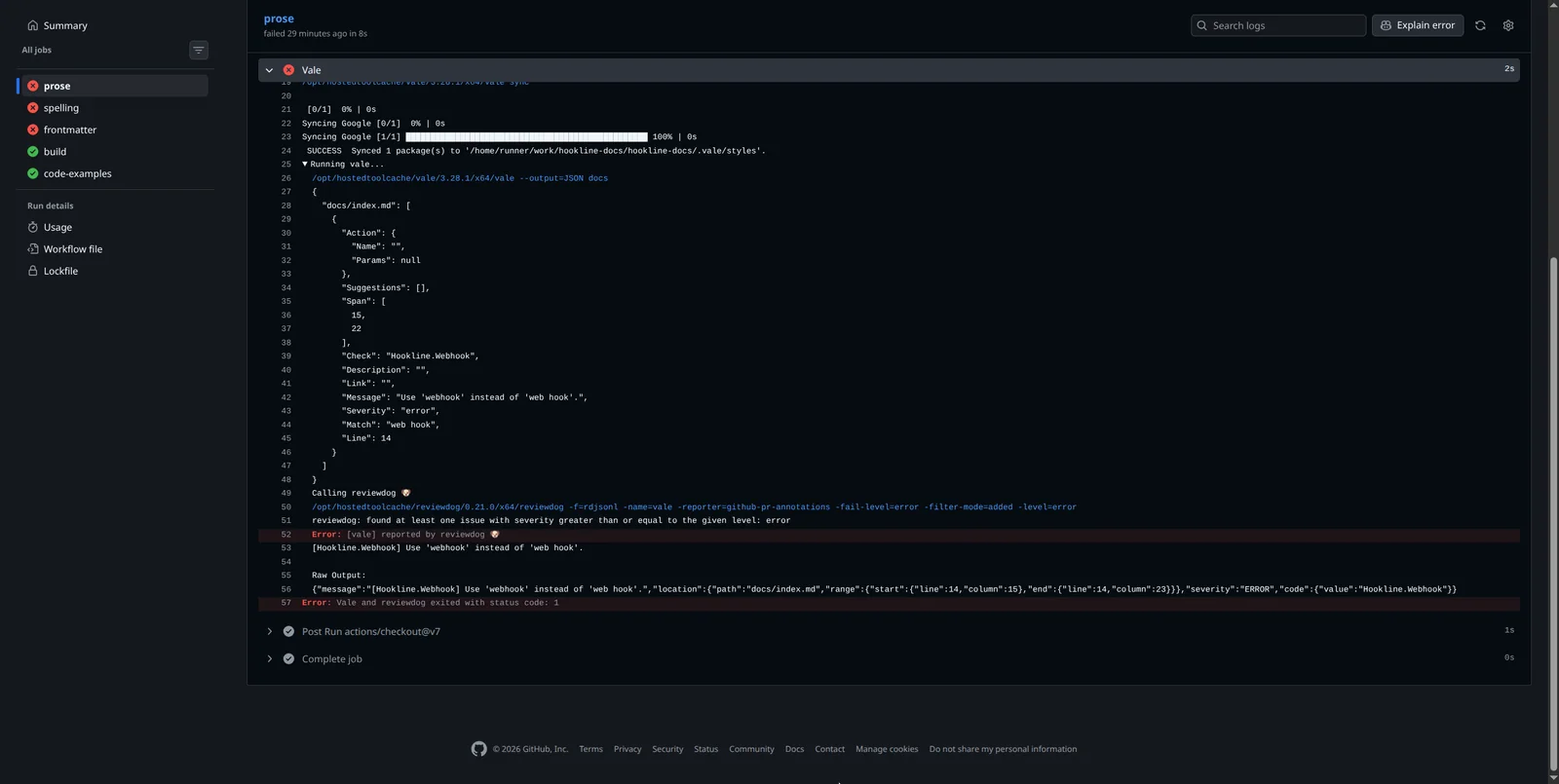
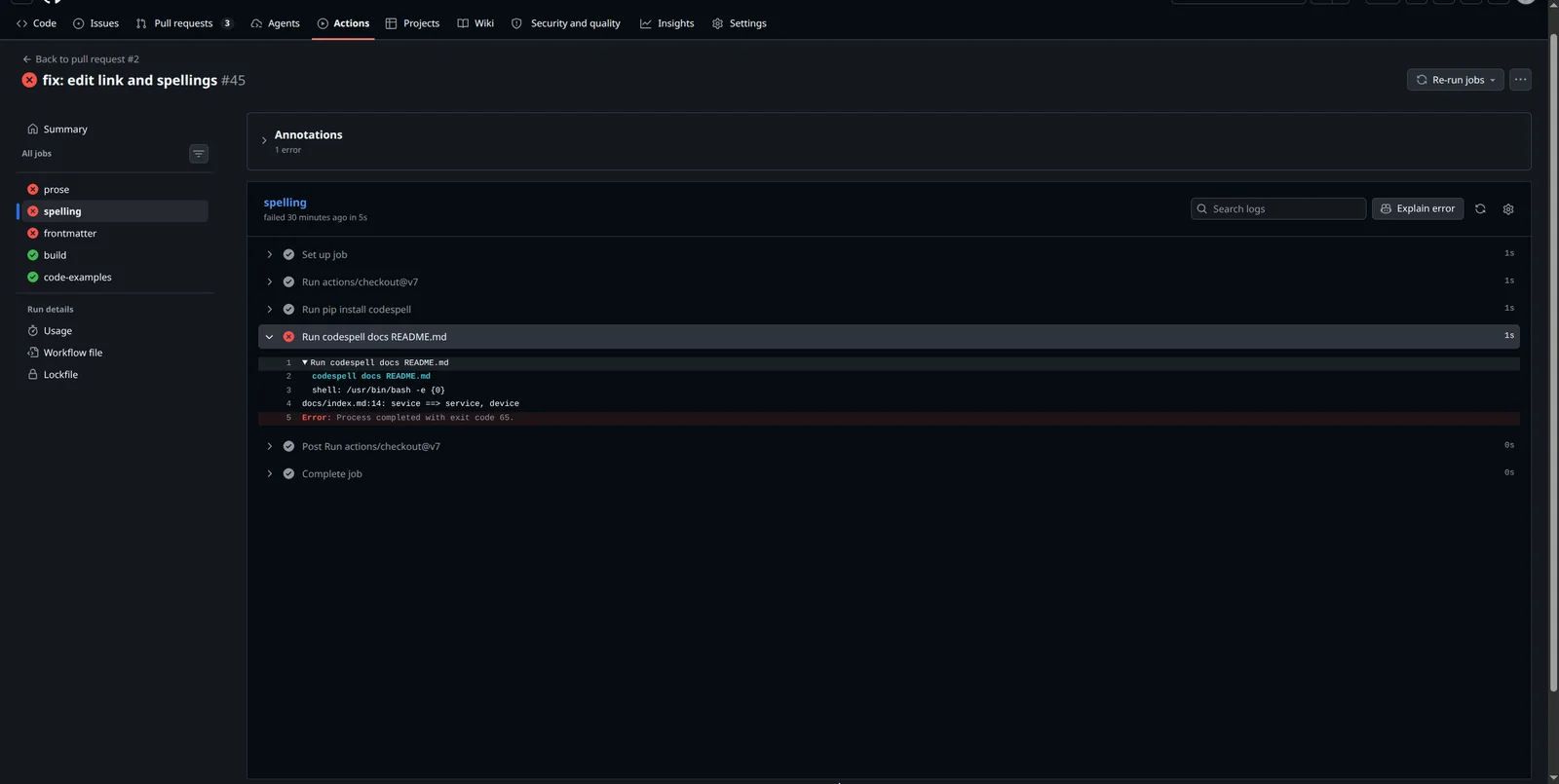
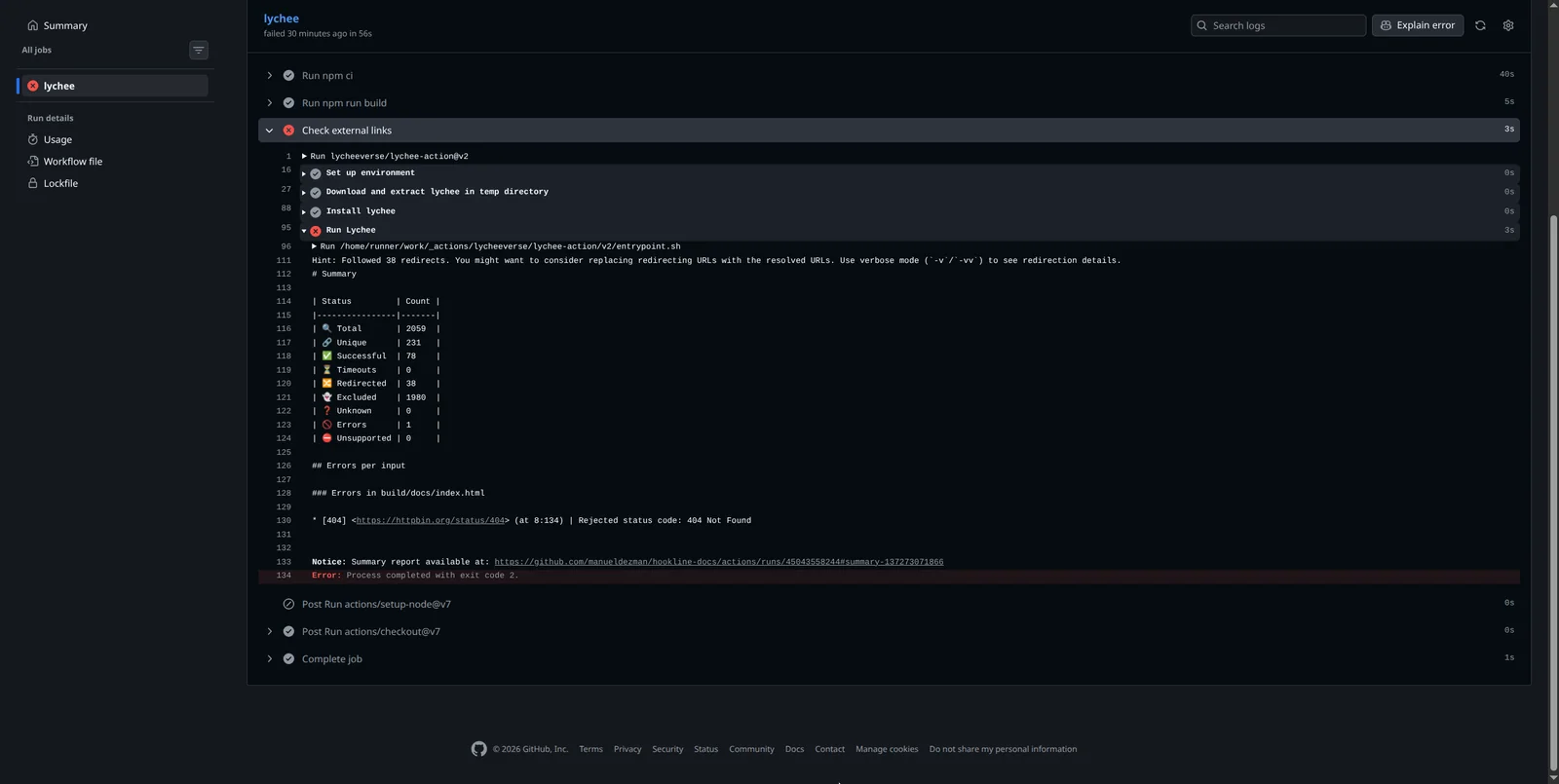
Figure 18: Screenshot showing the required checks panel with the merge button locked.
PR Preview Links
Netlify builds every pull request and posts the preview link as a comment.
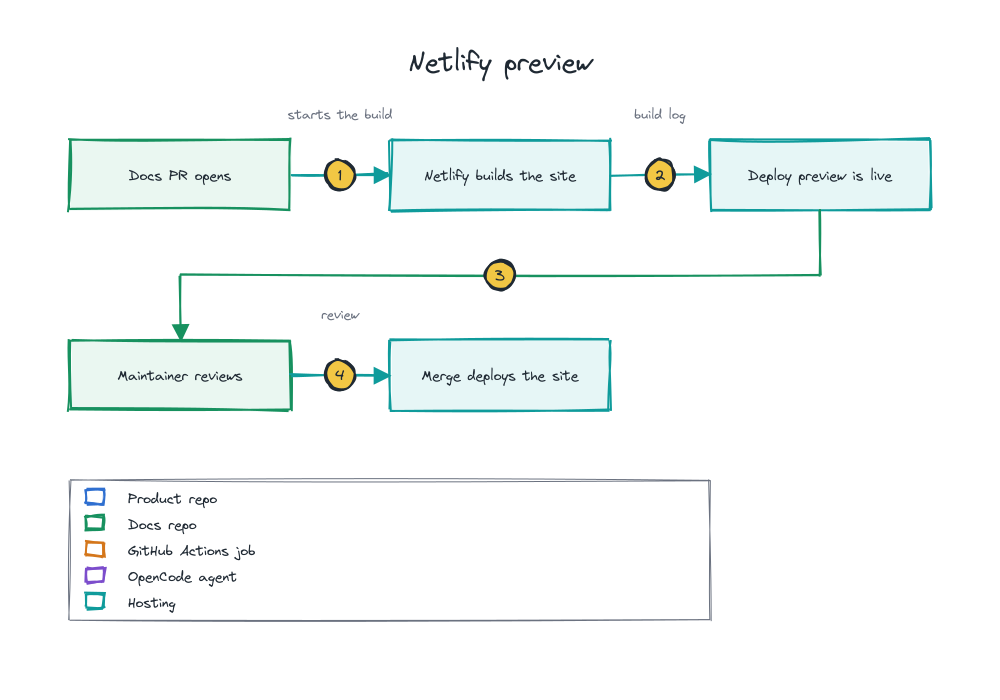
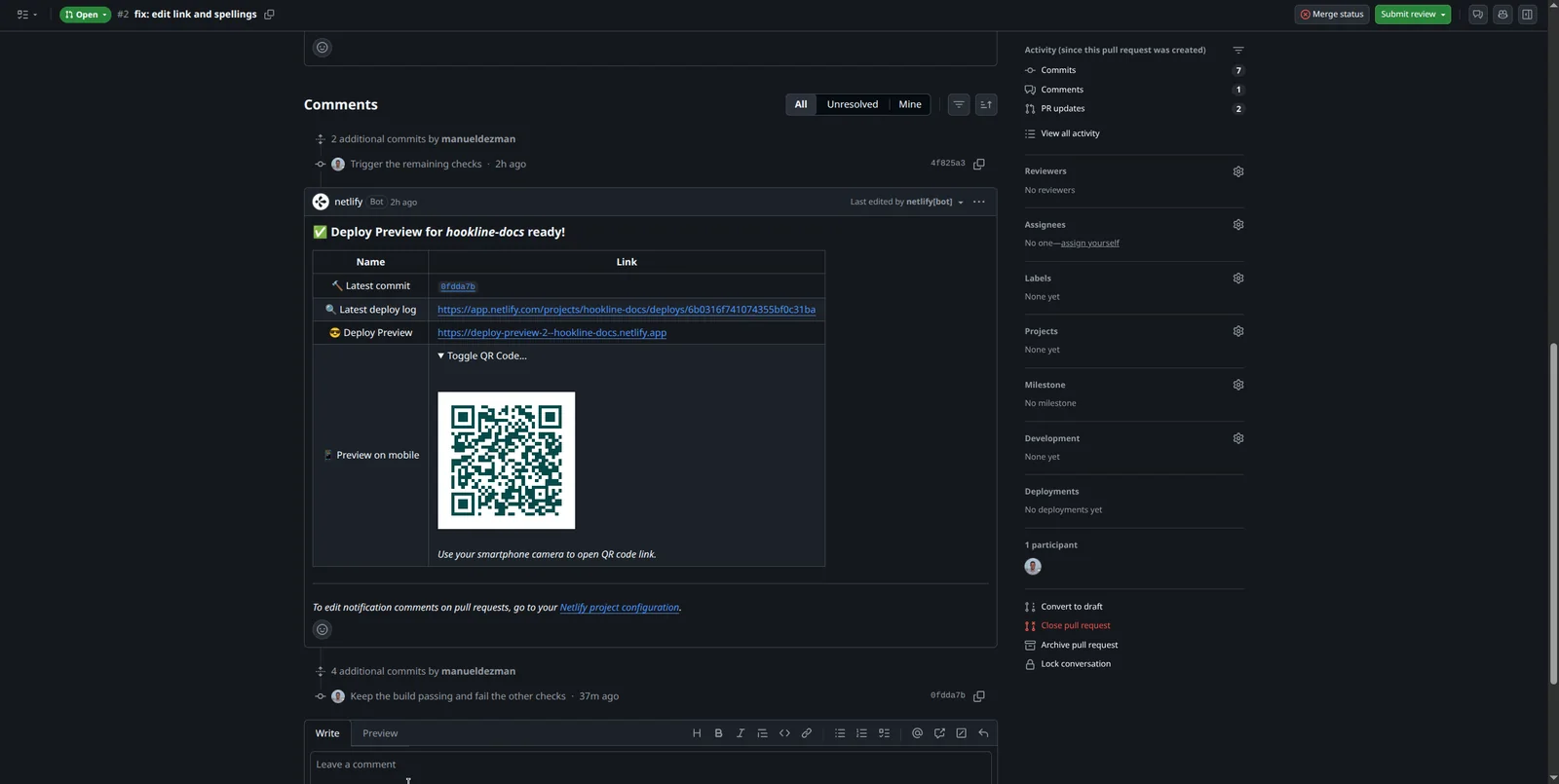
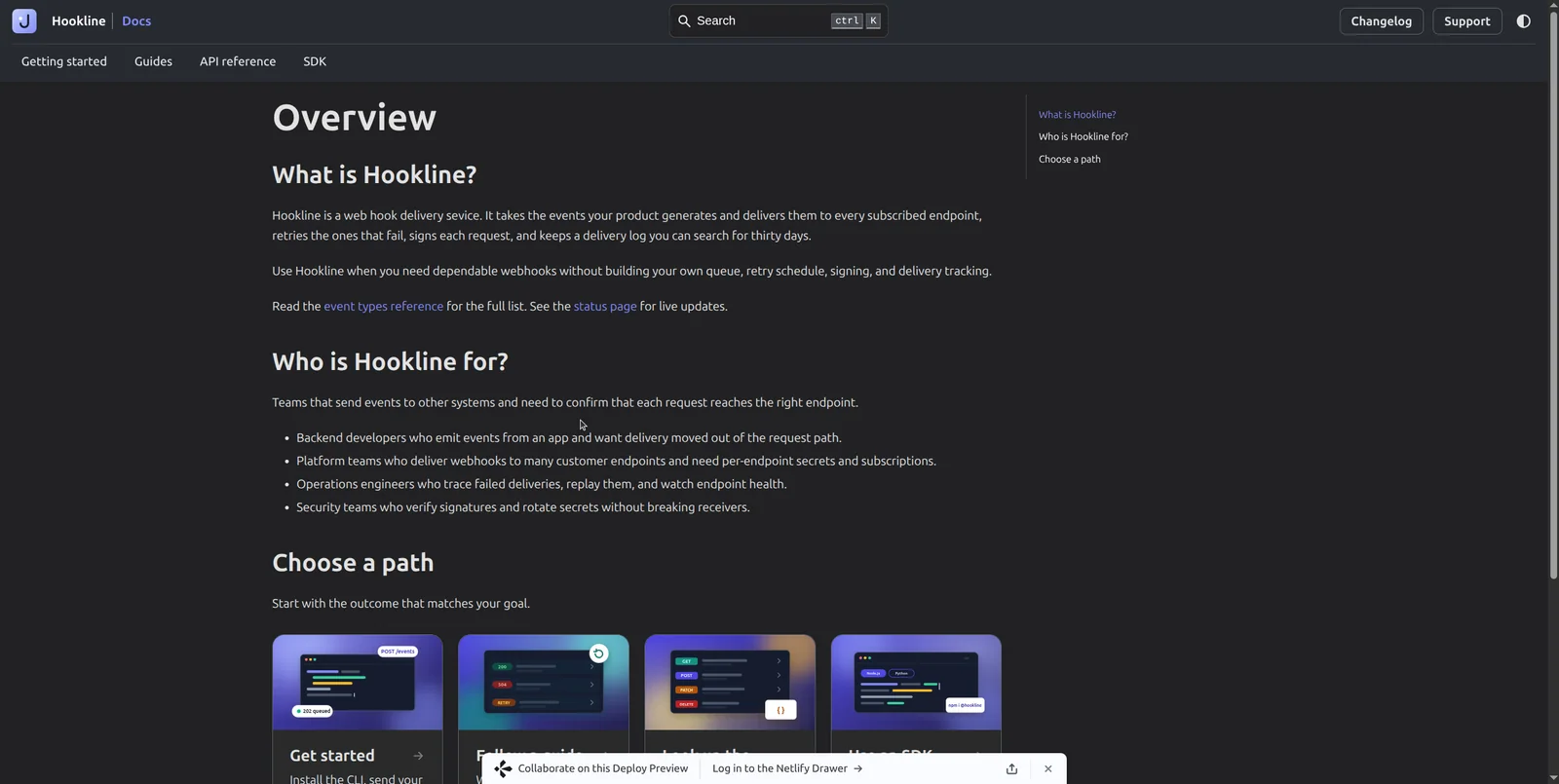
Figure 24: Screenshot showing the Netlify comment with a deploy preview link.
Agent-Facing Documentation
AI agents read documentation differently to humans. They prefer Markdown rather than rendered HTML, so I prepared these surfaces to serve them.
| Output | URL | Purpose |
|---|---|---|
Markdown twin of every page | Add | The page as Markdown, with components resolved |
|
| An index of every page with its description, following the llmstxt.org layout |
|
| Every page as Markdown in one file |
|
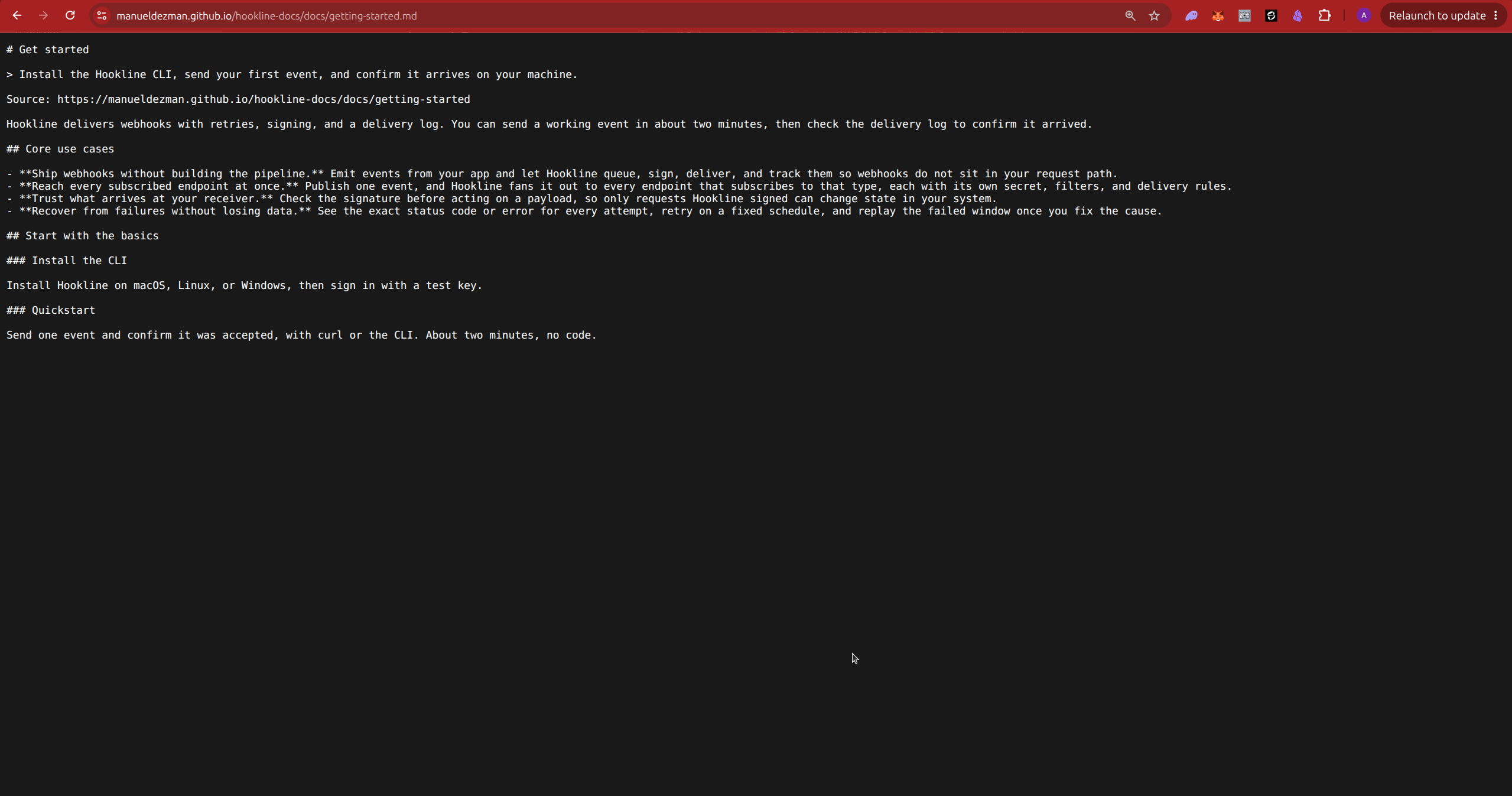
| Lists every page for crawlers and tells bots which pages to skip |